If you have an anniversary program, you have the option to create a message for all employees that will be sent to them on their work anniversary. You may also upload a vidPlease follow the steps below on how to edit general messages to employees and video to employees:
1. Login and access your Admin Portal: How to Access the Admin Portal
2. Click on the Anniversary tab
3. Click on the arrow on any of the two tiles, either “General Message to Employees” or “Video to Employees”.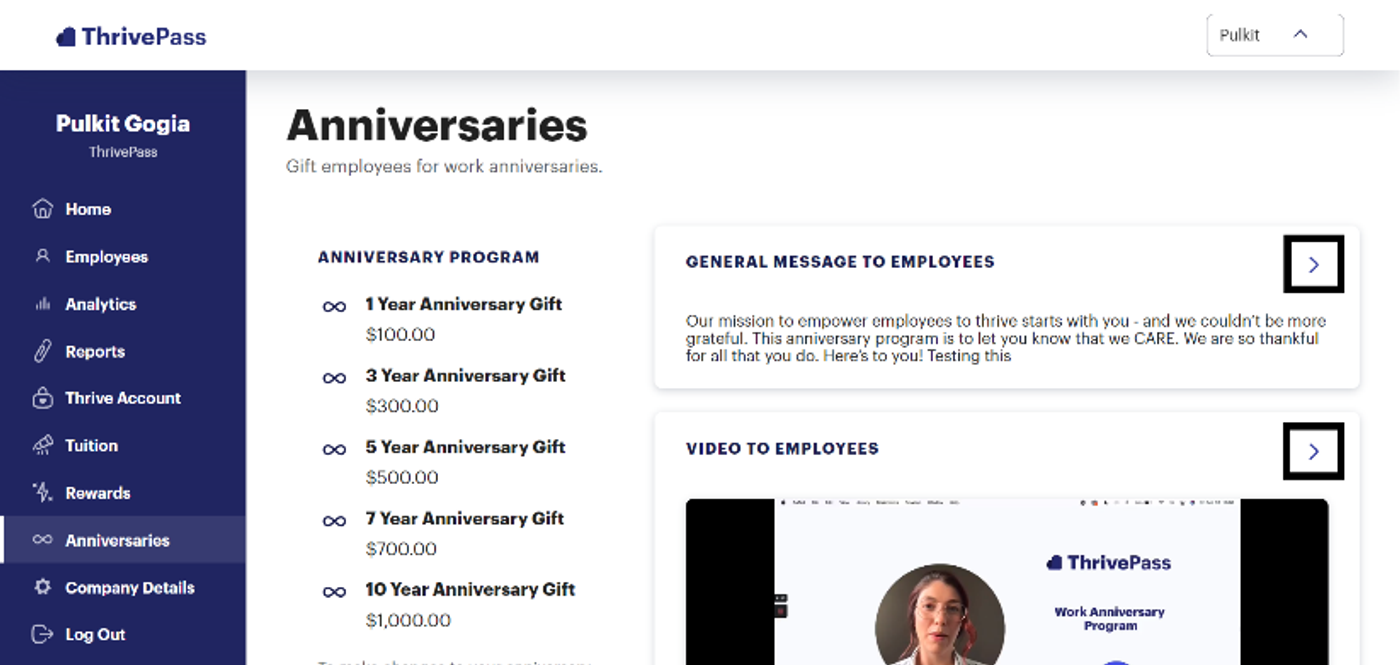
4. A new “Edit Anniversaries” page will open.
5. You can edit the message, upload a video, or both.
6. After editing, click “UPDATE”.
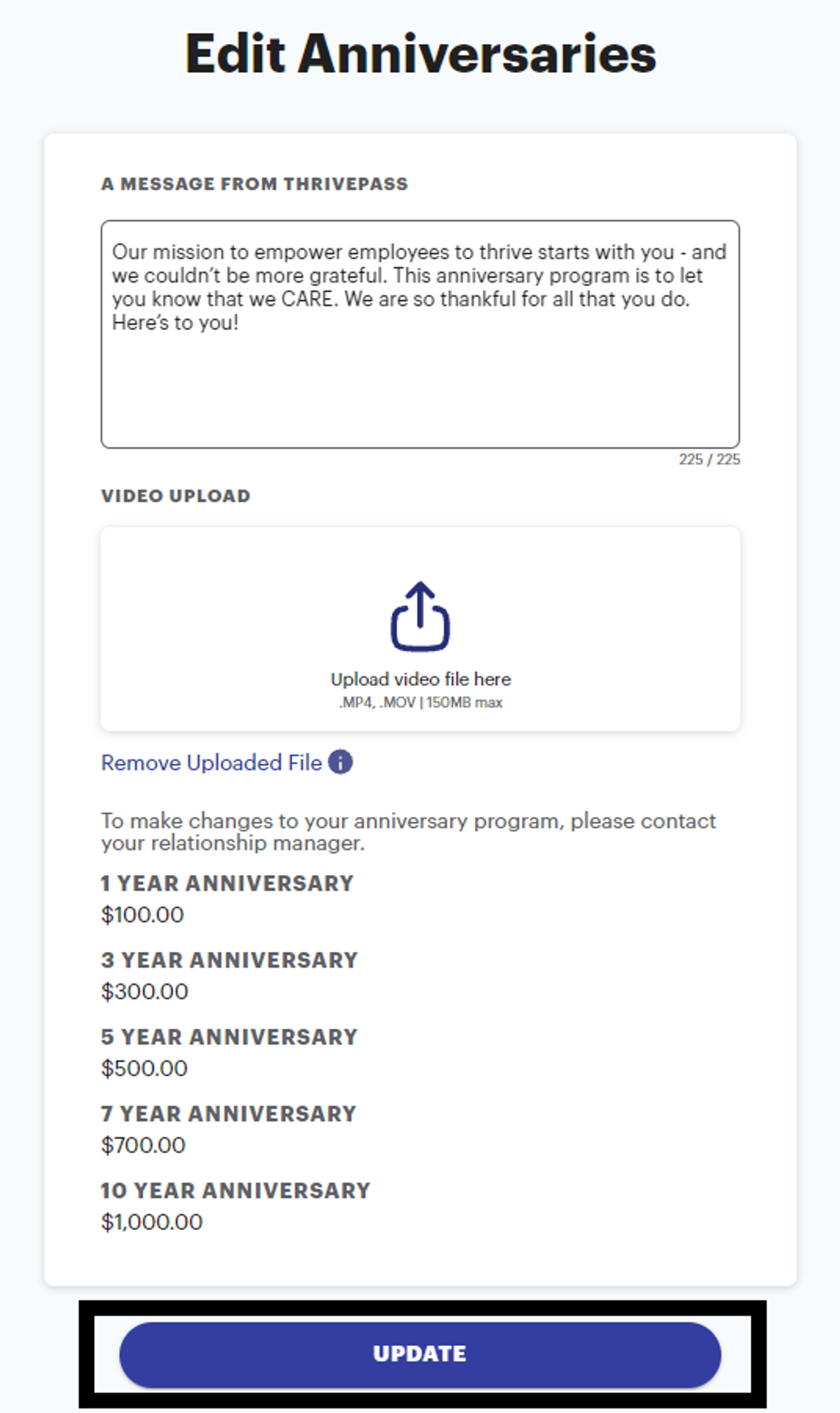 7. This will update the message and video.
Was this article helpful?
That’s Great!
Thank you for your feedback
Sorry! We couldn't be helpful
Thank you for your feedback
Feedback sent
We appreciate your effort and will try to fix the article