Announcements
Program Admins can control whether birthday and work anniversary announcements are automatically posted to the News Feed and connected external applications.
Note: Disabling announcements only prevents the public post from appearing. Rewards associated with birthdays and work anniversaries will still be issued.
Disable Automated Announcements
- Log in to the Wishlist portal as a Program Admin.
- Navigate to the Admin tab.
- Select Settings.
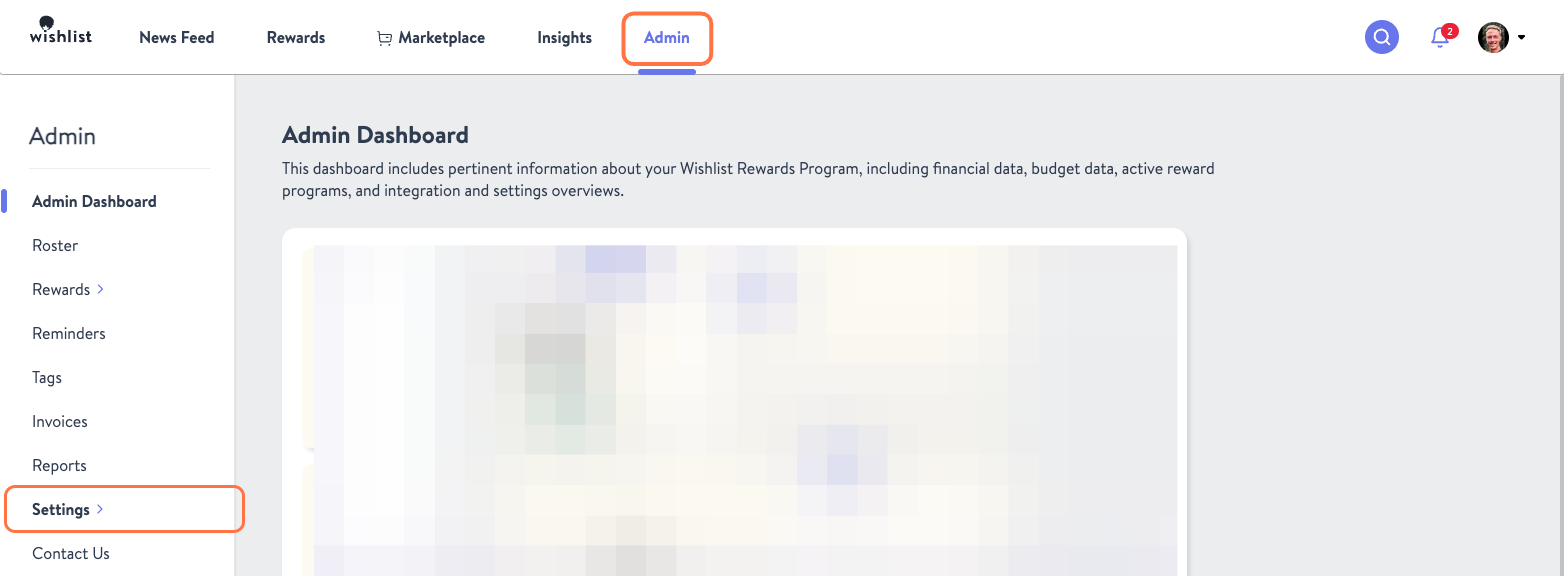
- Click News Feed.
- Under Automated Announcements, toggle the following settings on or off as needed:
- Birthday Announcements
- Workiversary Announcements
Changes are applied company-wide and affect all users within the program.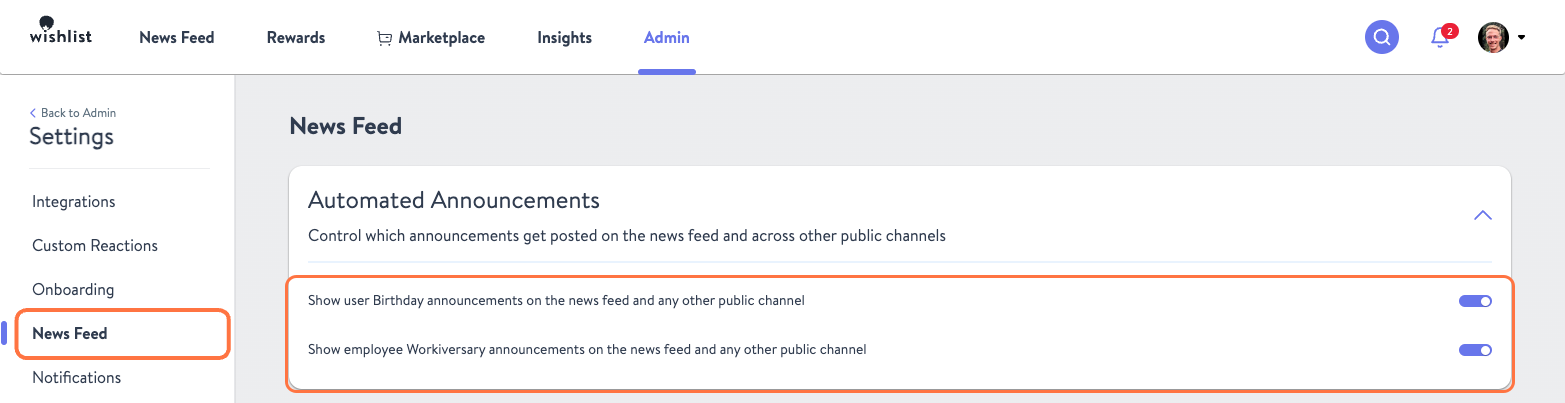
Frequently Asked Questions
Does disabling announcements stop birthday or work anniversary rewards?
No. Rewards will continue to be distributed according to your program configuration. Only the public announcement posts are disabled.
Can employees disable work anniversary announcements themselves?
No. Work anniversary announcements can only be managed by a Program Admin at the company level.
Do these settings affect external integrations?
Yes. Disabling automated announcements prevents announcement posts from appearing on the News Feed and connected external applications supported by your program.
Was this article helpful?
That’s Great!
Thank you for your feedback
Sorry! We couldn't be helpful
Thank you for your feedback
Feedback sent
We appreciate your effort and will try to fix the article