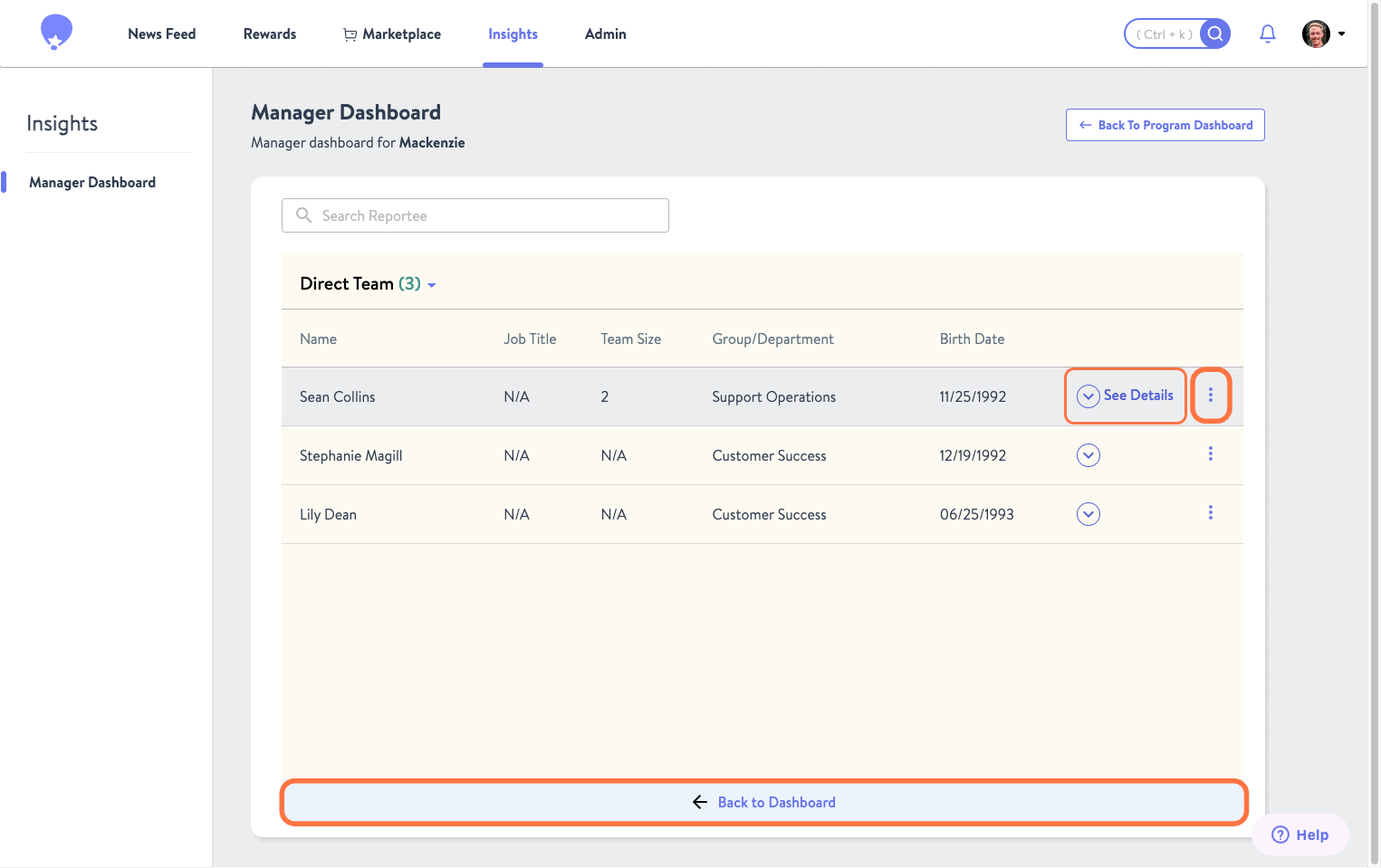
Managers can view the total number of both direct and indirect team members within this widget. Clicking the widget opens the underlying table, which includes the following employee details:
- Name
- Job Title
- Department
- Birth Date
Note: The Direct & Indirect Team table is not affected by the time filter and will only display current reporting employees.
Available Actions
Within the table, managers can take the following actions:
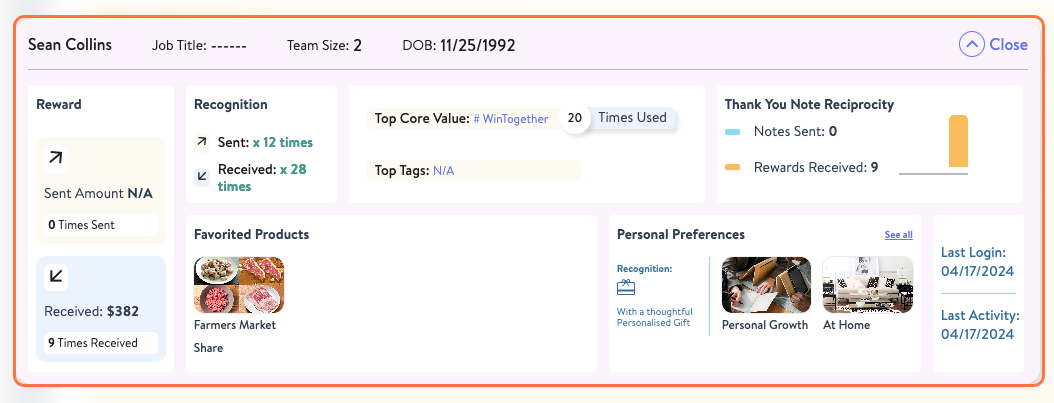
- See Details
Select See Details to view a summary of the employee’s platform activity, including:- Favorited products
- Recognitions sent and received
- Kebab Menu (⋮)
Use the menu on the right-hand side to quickly access:- Profile
- Dashboard (available only for users who are managers)
Navigation
To return to the Manager Dashboard, click Back to Dashboard.
Was this article helpful?
That’s Great!
Thank you for your feedback
Sorry! We couldn't be helpful
Thank you for your feedback
Feedback sent
We appreciate your effort and will try to fix the article