Reward Spend Forecast
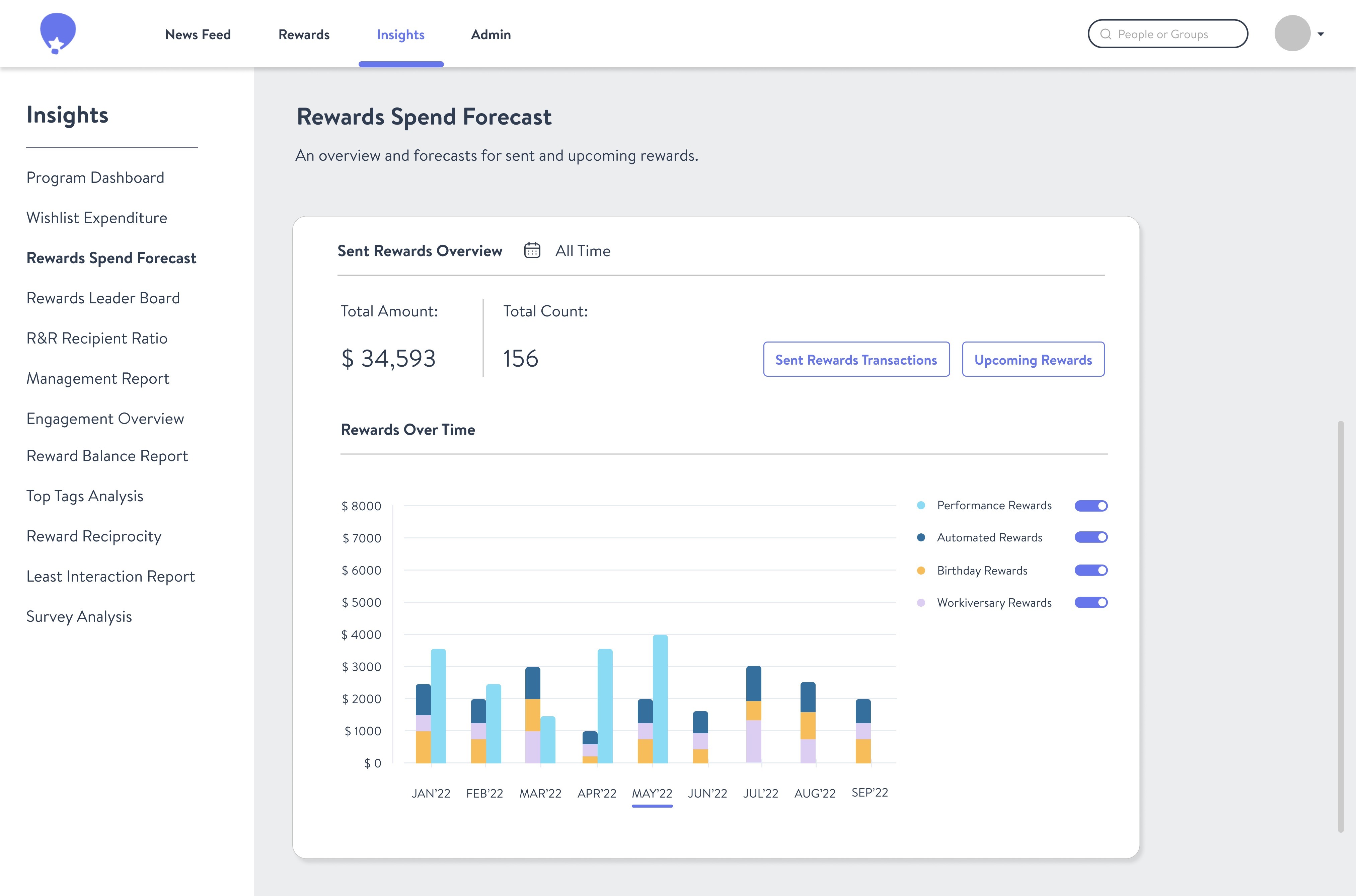
The Reward Spend Forecast report displays historical and projected reward spending trends, including:
- The previous four months of reward activity
- Current-month spend
- Projected automated reward spending for the next four months
Currently, forecasts include automated:
- Birthday rewards
- Work Anniversary rewards
Users can filter data to compare:
- Birthday vs. Work Anniversary spending
- Automated vs. Performance (Spot) rewards
Additional navigation options include:
- Sent Rewards for historical reward activity
- Upcoming Rewards for scheduled rewards and message customization
Rewards Leaderboard
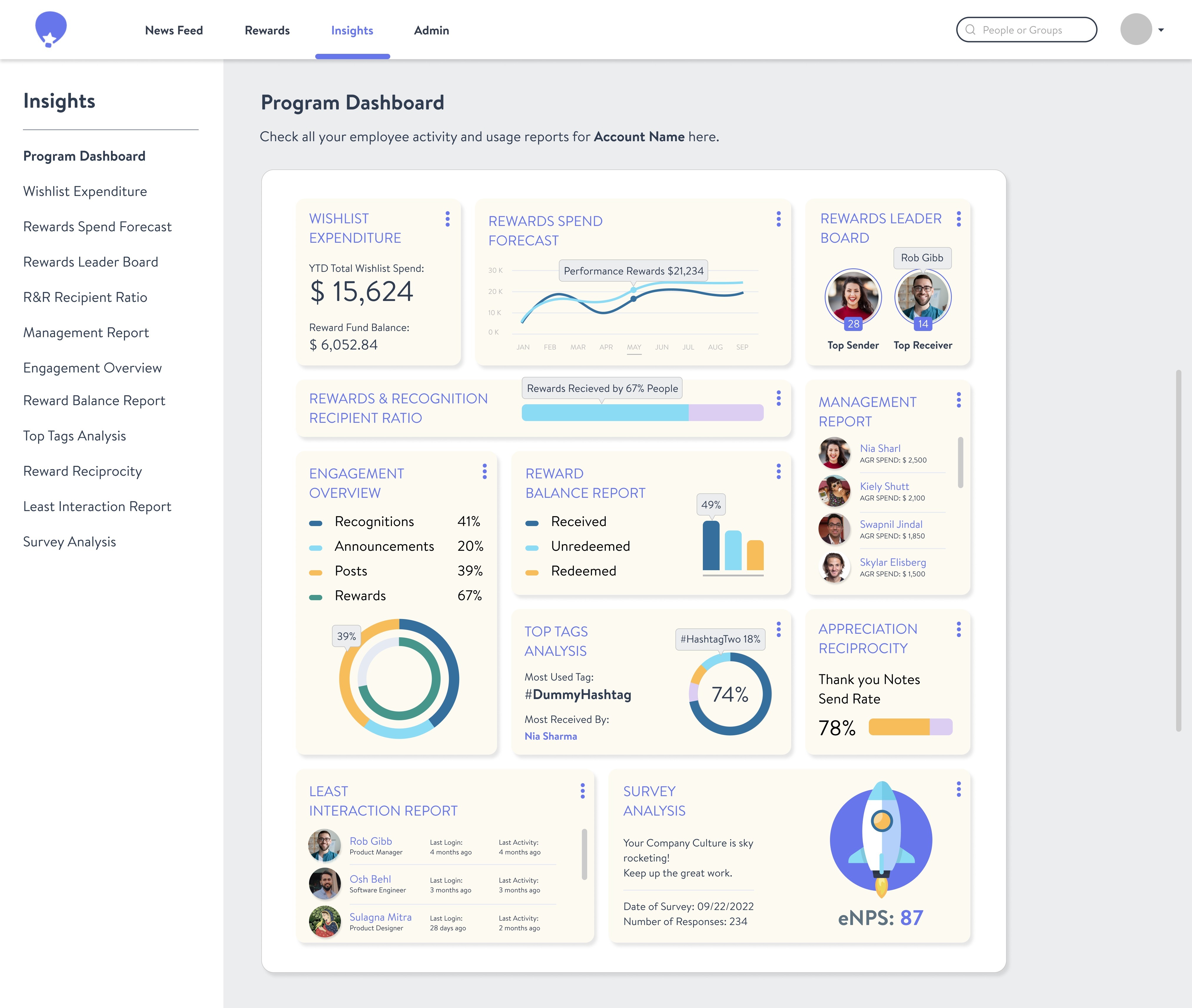
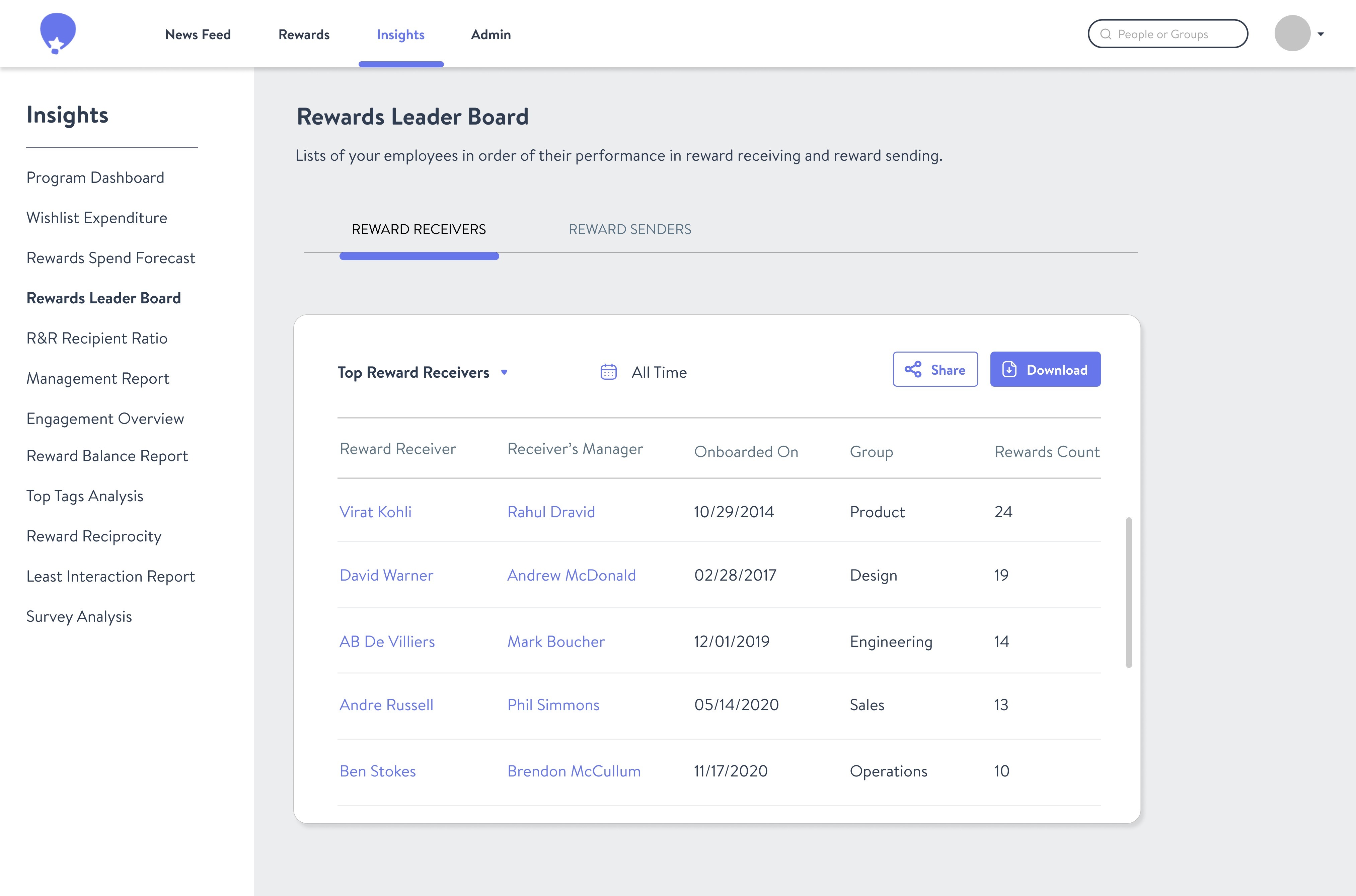
The Rewards Leaderboard helps identify reward participation across your organization by showing:
- Employees receiving the most rewards
- Employees receiving the fewest rewards
- Top reward senders
- Least active reward senders
Each report includes employee details such as:
- Name
- Manager
- Onboarding date
- Assigned group or department
For Recognition clients, leaderboard metrics include rewards sent through both:
- Send New Rewards
- Rewards attached to News Feed recognitions
Rewards and Recognition Recipient Ratio
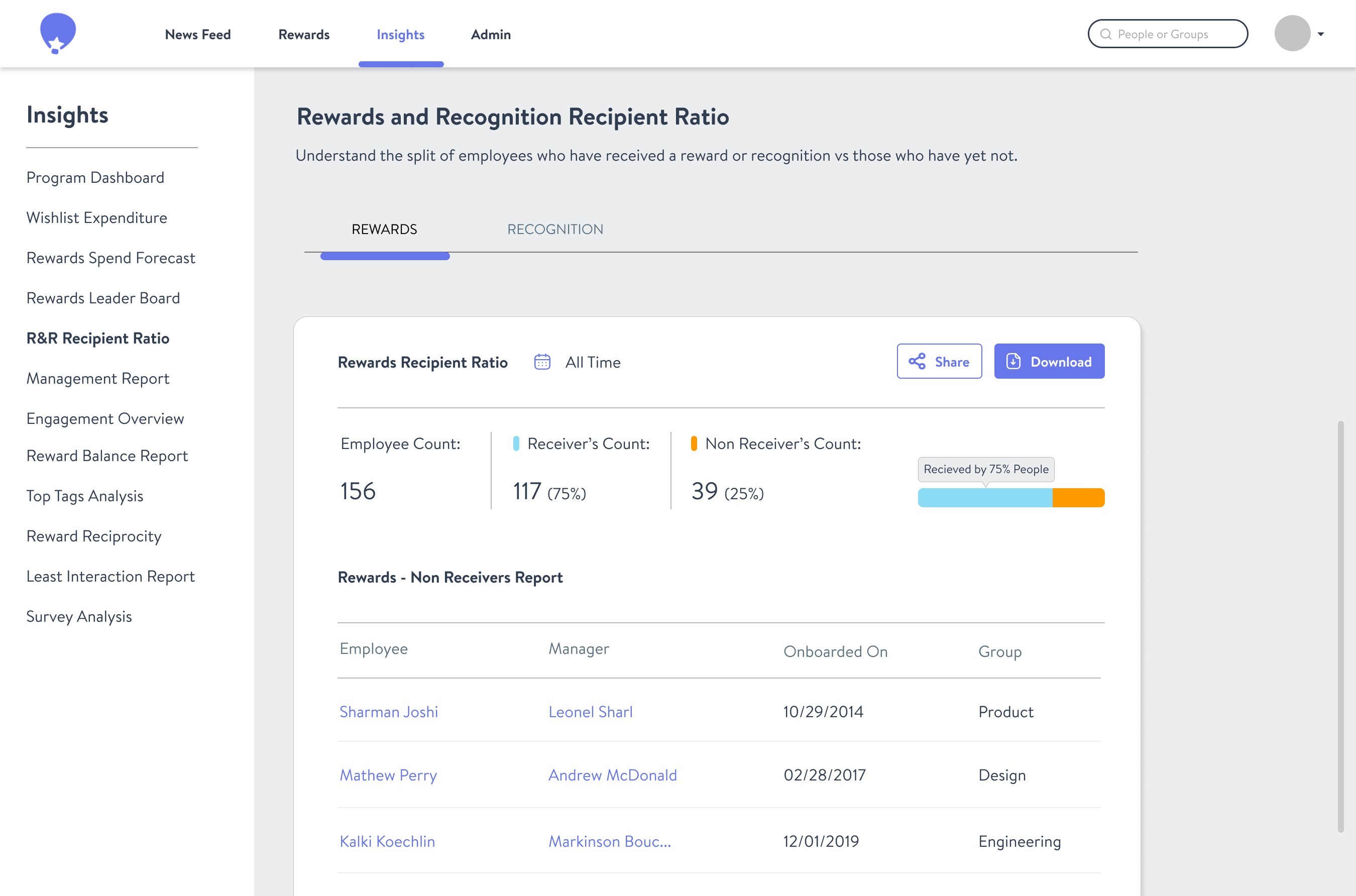
The Recipient Ratio report helps identify employees who have not received rewards or recognition.
Depending on your subscription:
- Recognition clients will see the Recognition Recipient Ratio
- Rewards-only clients will see the Rewards Recipient Ratio
The report includes:
- Employee name
- Manager name (when available)
- Onboarding date
- Department or group
This report is useful for identifying engagement gaps and ensuring recognition is distributed across the organization.
Management Report
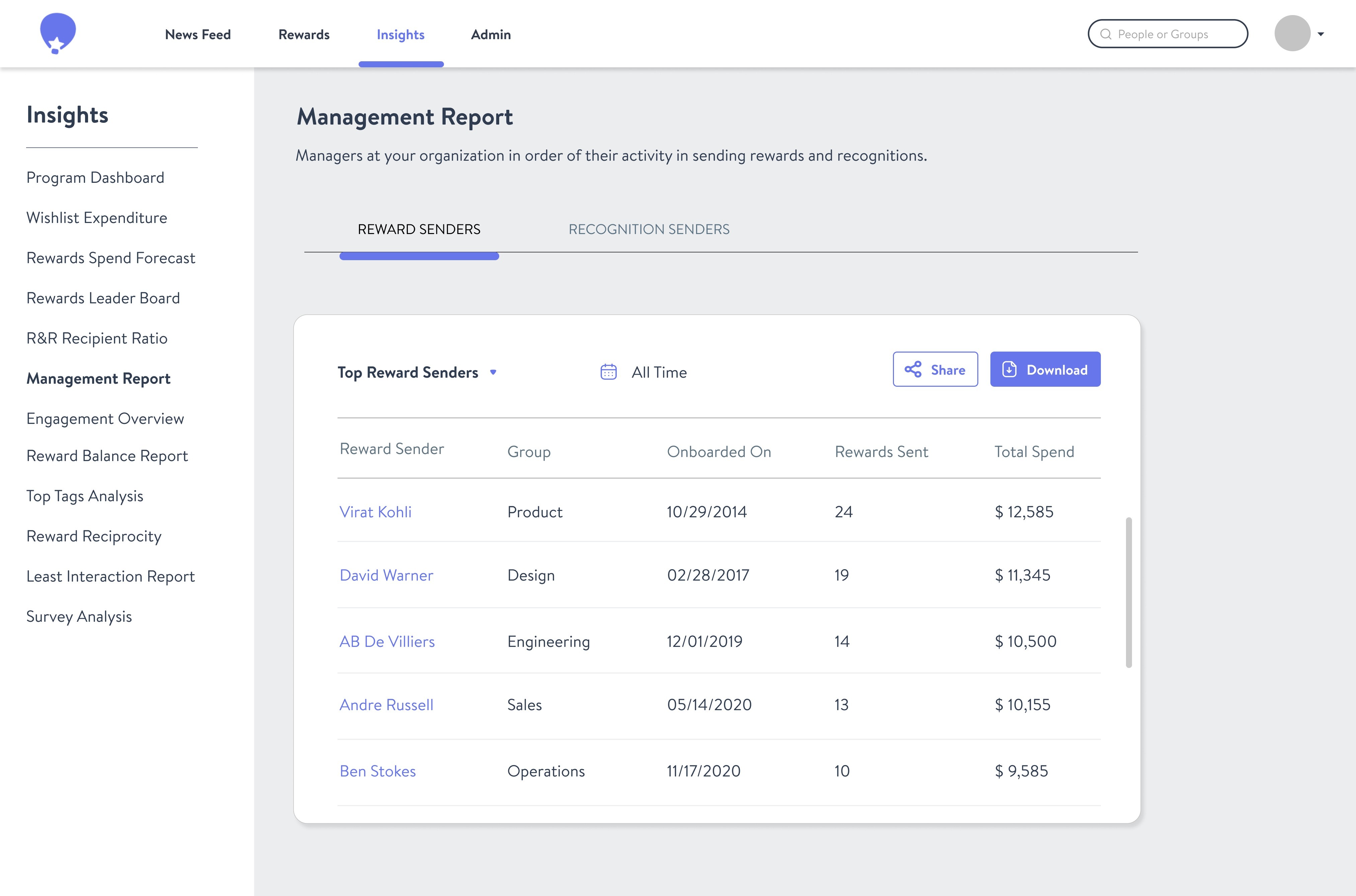
The Management Report provides visibility into manager engagement with the Wishlist platform.
Key metrics include:
- Top reward senders
- Least active reward senders
- Recognition activity (when enabled)
This report can help identify managers who may benefit from additional coaching or encouragement around employee recognition and rewards.
Engagement Overview
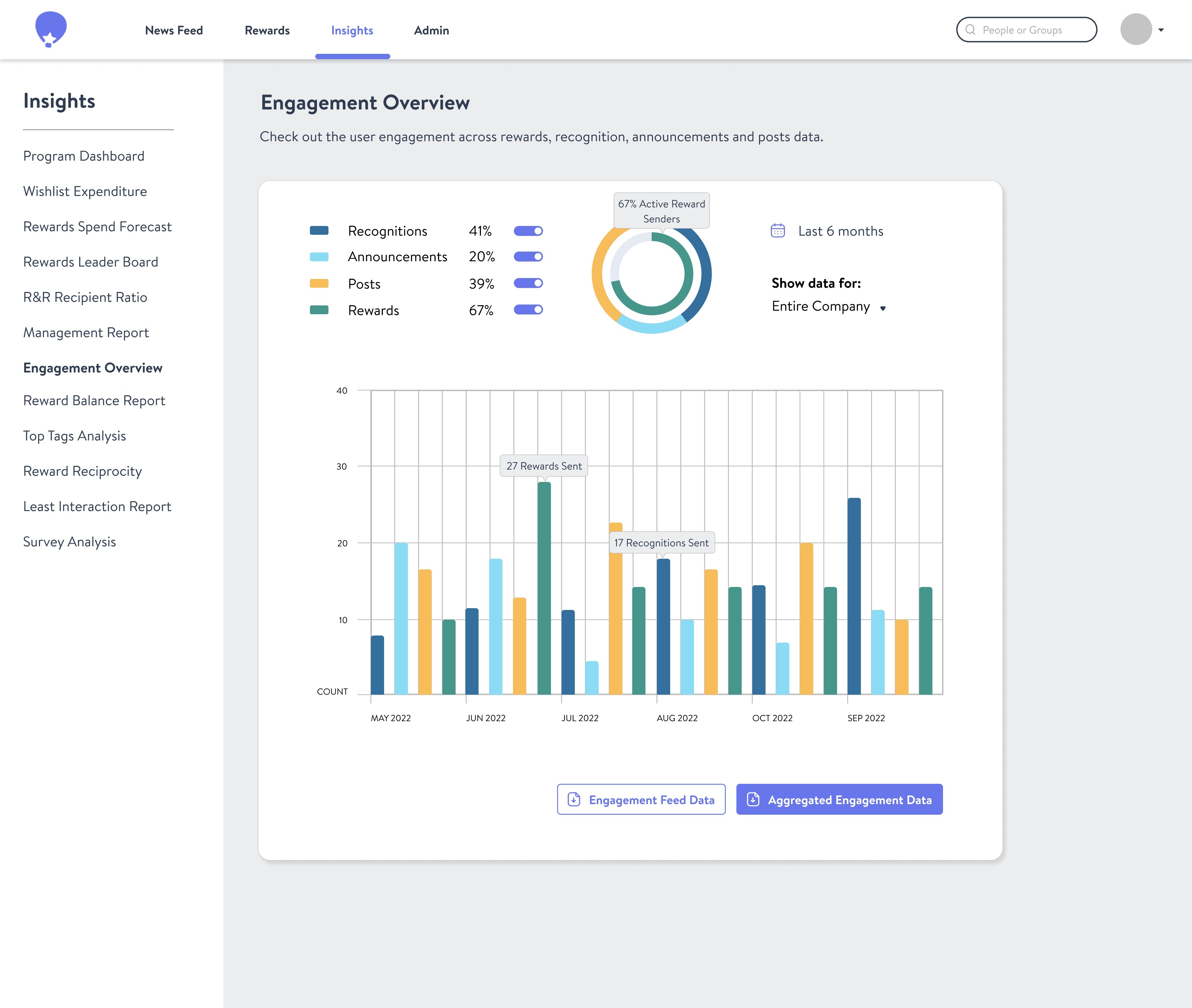
Available only to organizations using Recognition, the Engagement Overview analyzes activity within the News Feed across three content types:
- Recognitions
- Announcements
- Posts
Recognition activity includes posts tied to a Core Value, while Announcements include automated events such as birthdays and work anniversaries.
The report also tracks reward engagement by measuring:
Number of active reward senders ÷ Total reward senders during the selected period
Available downloads include:
- Aggregated Engagement Data – grouped engagement metrics by date
- Engagement Feed Data – detailed records for individual recognitions, announcements, and posts
Reward Balance Report
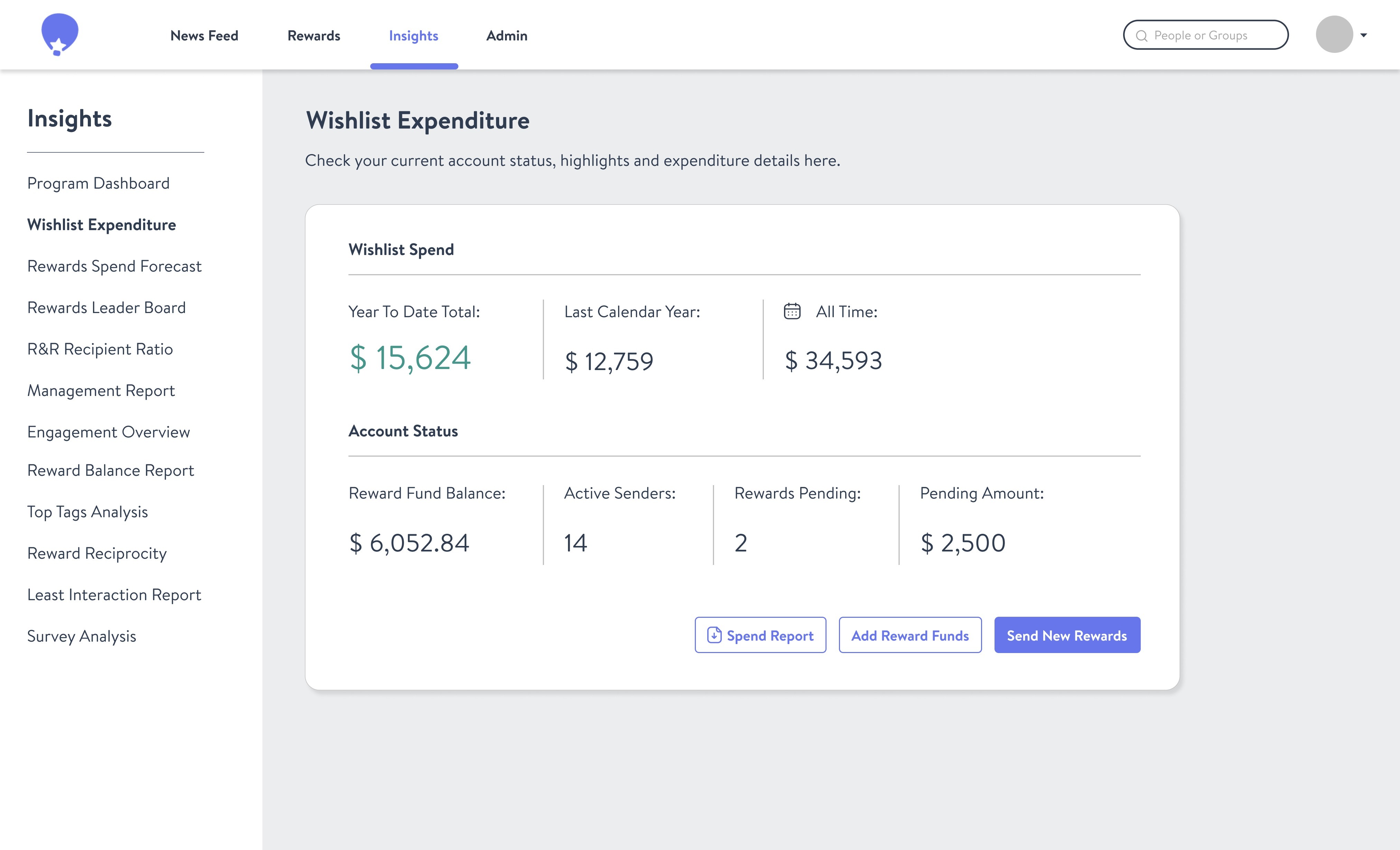
The Reward Balance Report helps organizations understand both reward redemption activity and marketplace spending behavior.
Received Rewards Split
Displays the relationship between:
- Total Rewards Sent
- Redeemed Rewards
- Unredeemed Rewards
For Wallet clients:
- Unredeemed Rewards represent funds still available in employee wallets.
- Redeemed Rewards represent funds that have been spent.
Redeemed Rewards Split
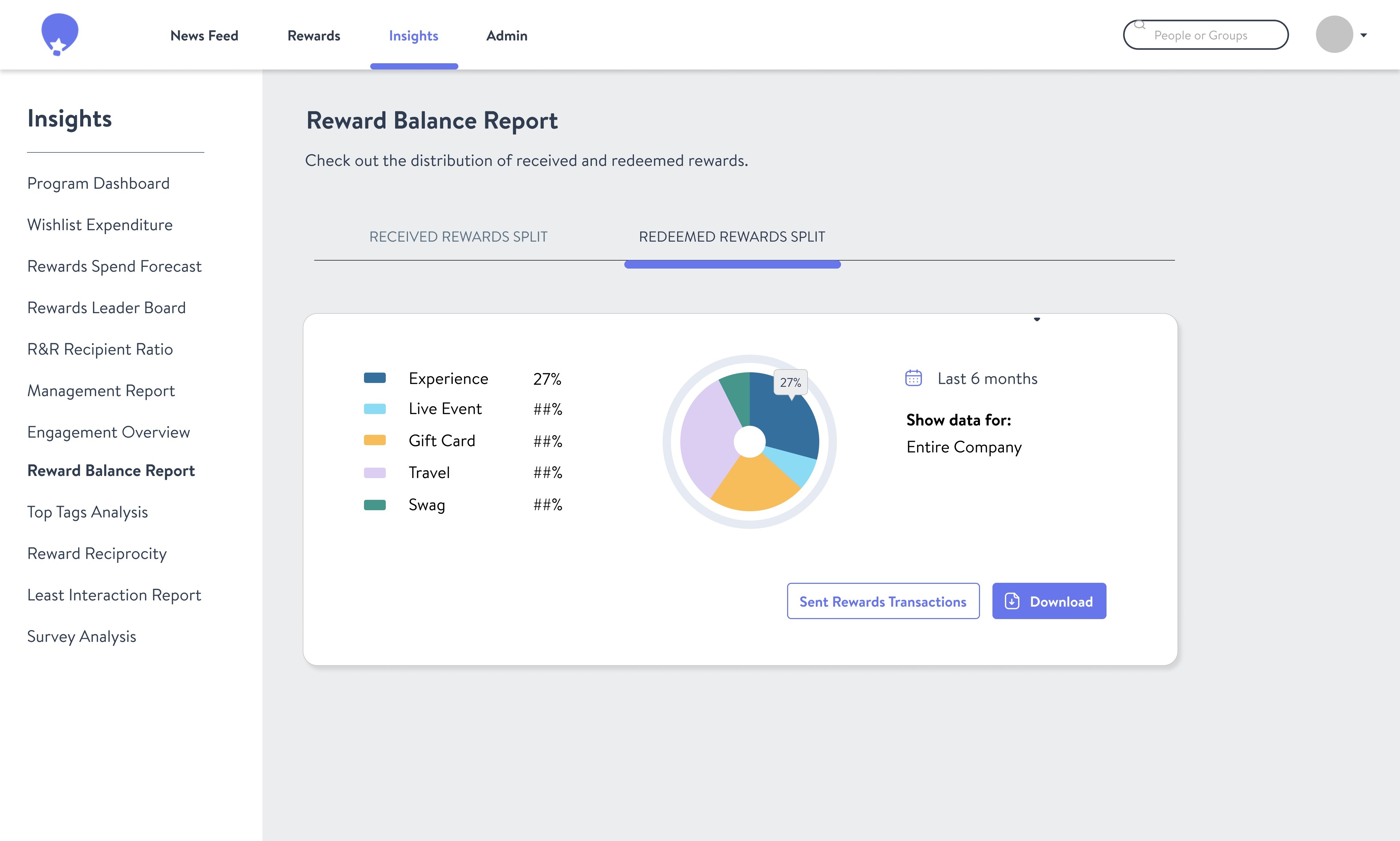
Shows how redeemed rewards are distributed among major reward categories, including:
- Experiences
- Live Events
- Gift Cards
- Travel
- Swag
Users can download reports and drill into additional reward details through the Sent Rewards table.
Top Tags Analysis
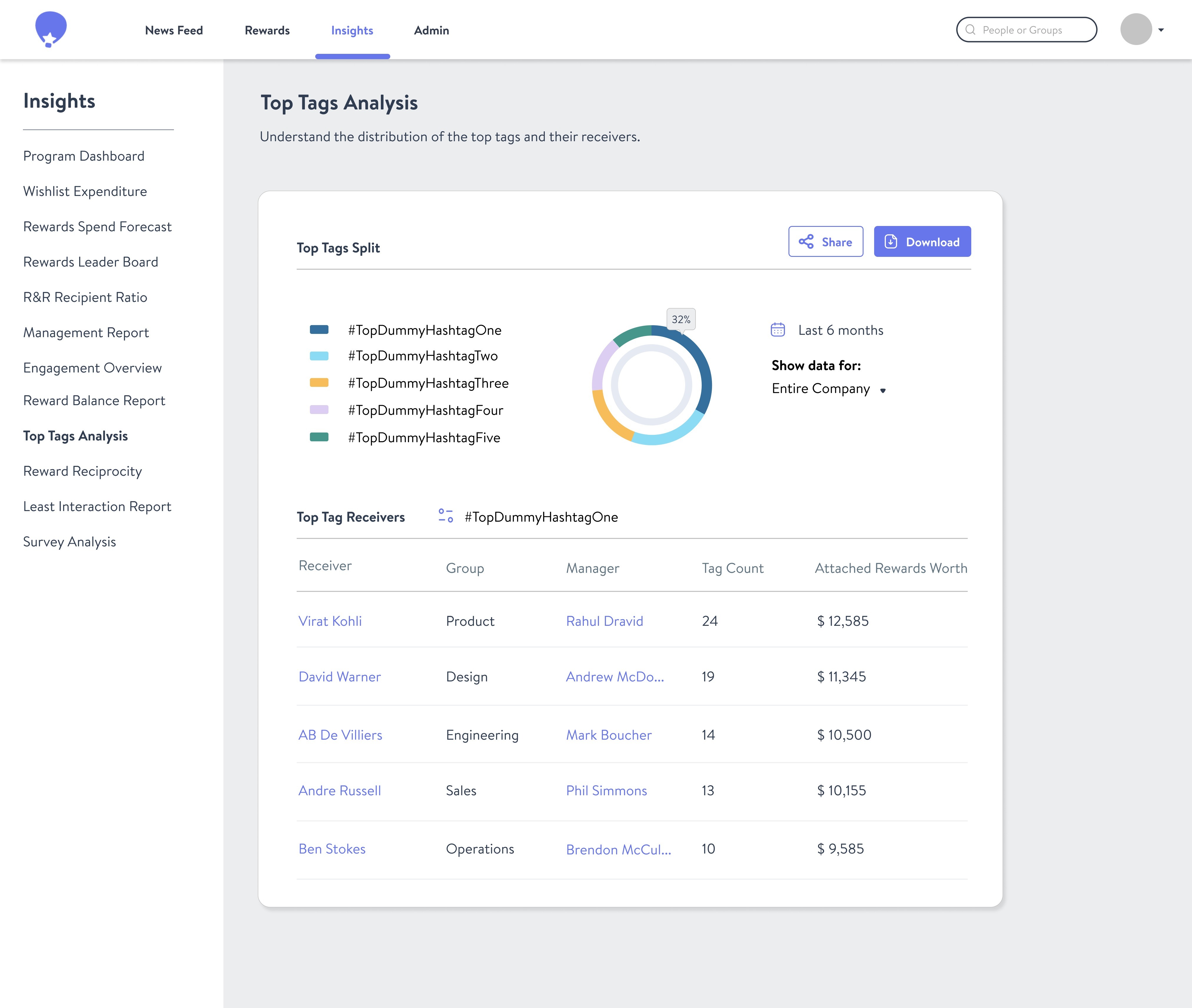
The Top Tags Analysis report provides insight into recognition trends across your organization.
Depending on your subscription, it tracks:
- Core Value tags (Recognition clients)
- Reward Tags (Rewards-only clients)
For each tag, the report displays:
- Top recipients
- Department or group
- Manager
- Number of times the tag was received
- Associated reward value (if applicable)
Filters allow administrators to analyze data across the entire organization or focus on specific teams and departments.
Reward Reciprocity
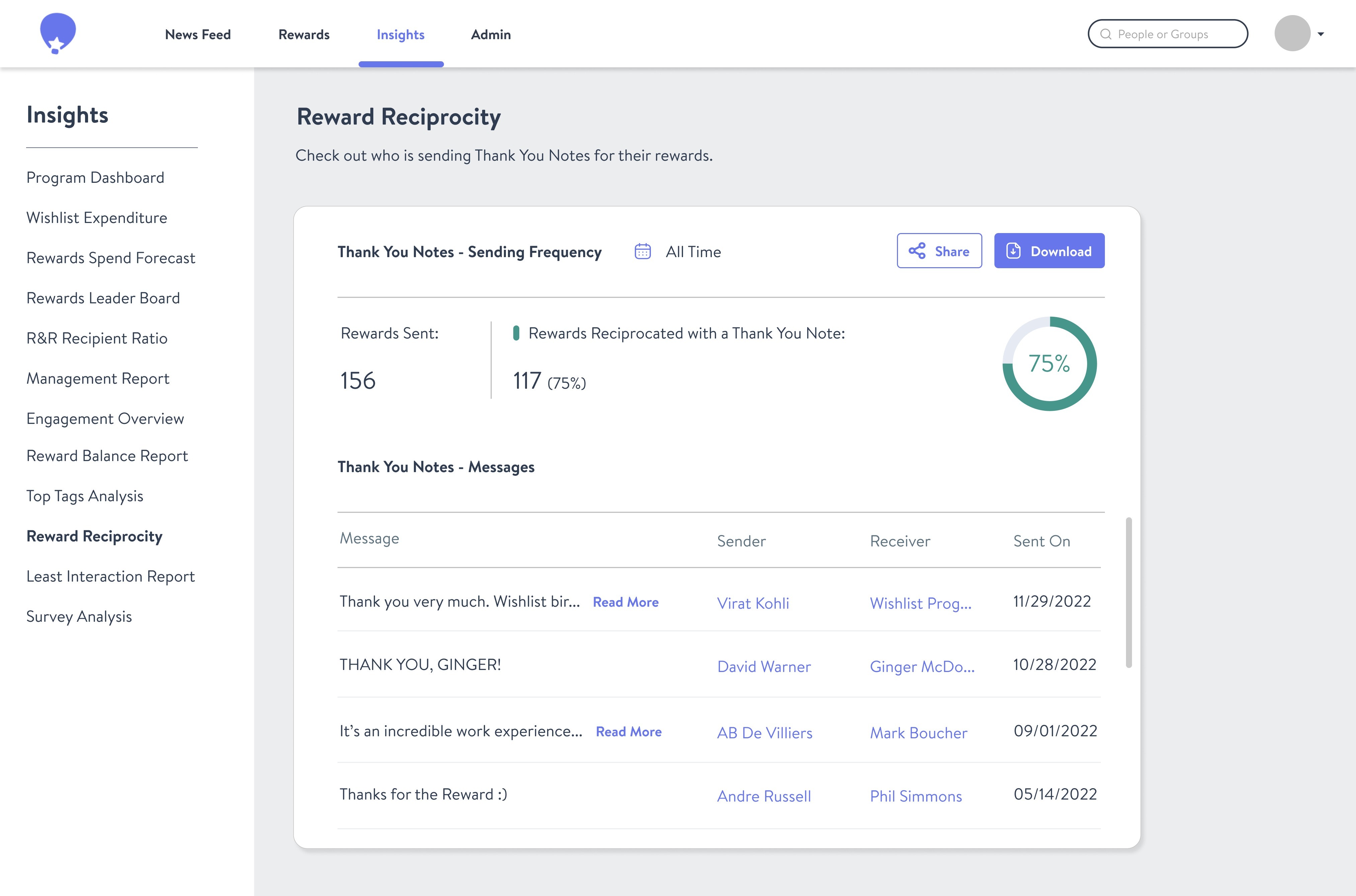
The Reward Reciprocity report measures employee participation through Thank You Notes.
The Thank You Note Send Rate is calculated as:
Rewards with a Thank You Note ÷ Total rewards sent
This metric includes rewards sent through:
- Send New Rewards
- Recognition posts on the News Feed
Reports can be shared or downloaded for broader organizational analysis.
Least Interaction Report
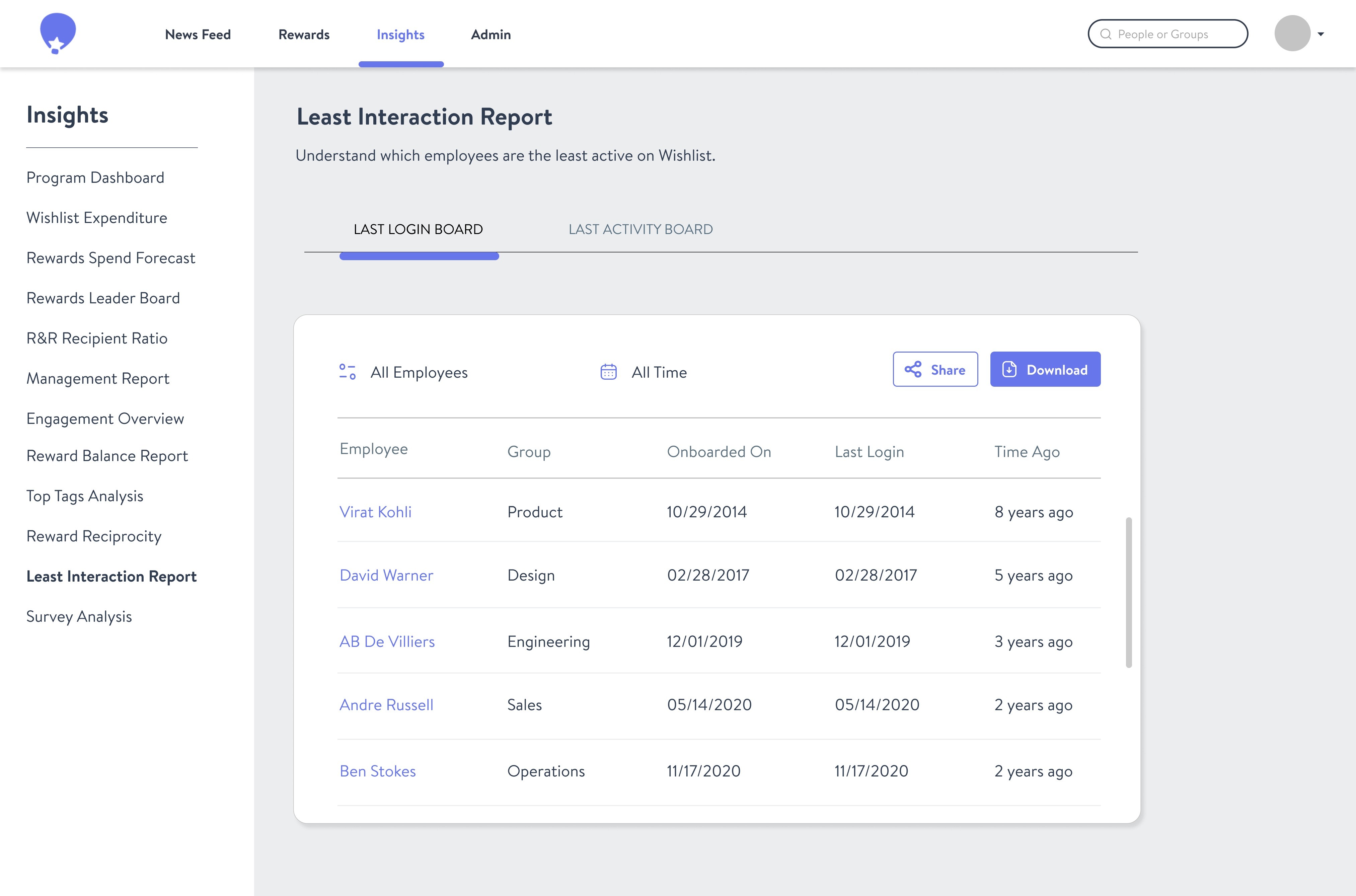
Available only to Recognition clients, the Least Interaction Report helps identify employees with low platform engagement.
The report includes:
- Employees who have gone the longest without logging in
- Users with minimal interaction on recognitions and announcements
- Individuals who have not recently sent rewards
This report can help administrators target engagement efforts and increase platform adoption.
Survey Analysis
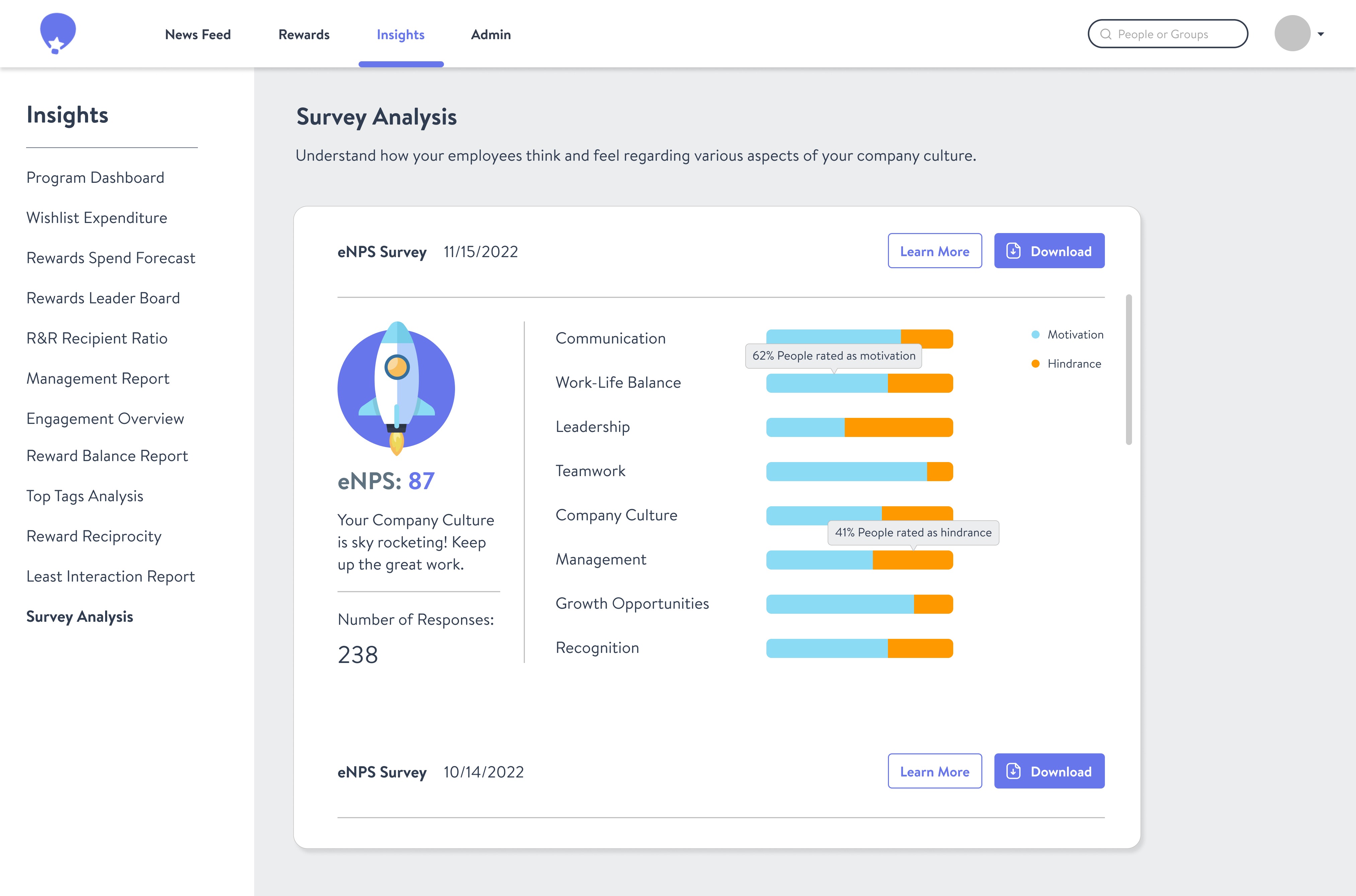
The Survey Analysis report is available to Recognition clients and focuses on Employee Net Promoter Score (eNPS) survey results.
Available downloads include:
- Most recent survey results
- Last five survey periods
- All survey results
This report helps organizations track employee sentiment over time and identify trends in workplace engagement.