eNPS (Employee Net Promoter Score) is one of Wishlist’s built-in culture tools designed to help you measure and track employee sentiment over time. Using this tool, you can send recurring surveys to evaluate the overall health of your company culture.
Note: The survey question and improvement categories are not customizable. These have been carefully selected based on research into the most common drivers of workplace culture challenges.

How to Send an eNPS Survey
- Log in to your Wishlist portal
- Navigate to Admin > Settings
- Click Surveys
- Choose your preferred survey cadence (select 1 of 3 options)
- Set your Transparency Mode:
- ON → Results are visible to all employees
- OFF → Results are only visible to admins
You can toggle Transparency Mode on or off at any time, and the change will take effect immediately.
Once configured, your survey will be activated and you’ll see when the next survey is scheduled to send.
What Employees See
When a survey is live:
- A survey widget appears on the left side of the News Feed
- Employees can click “Take the quick anonymous survey” to participate
- The survey:
- Asks employees to provide a score
- Prompts them to select areas for improvement
- Allows them to review or modify responses before submitting
All responses are anonymous.
Once enough responses are collected:
- The widget updates with the overall eNPS score
- This score is visible to employees only if Transparency Mode is ON



Viewing Survey Results (Admins)
Program Admins can access detailed results by navigating to:
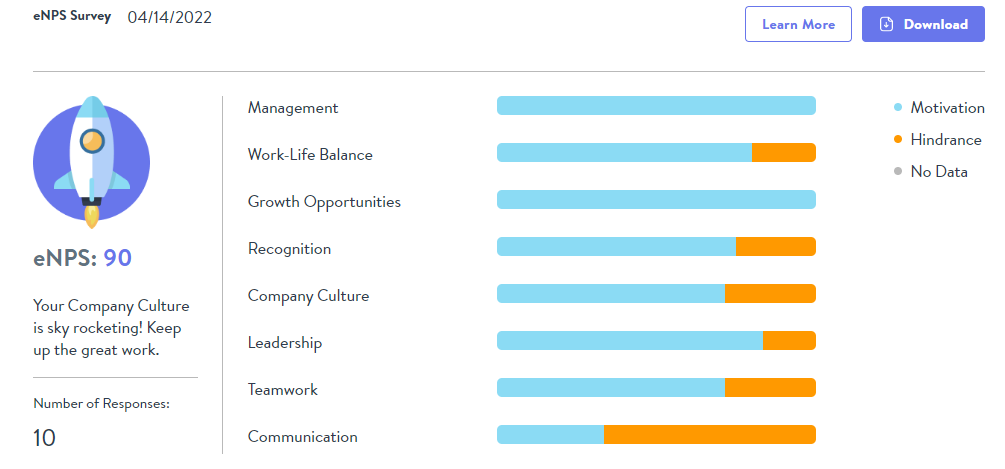
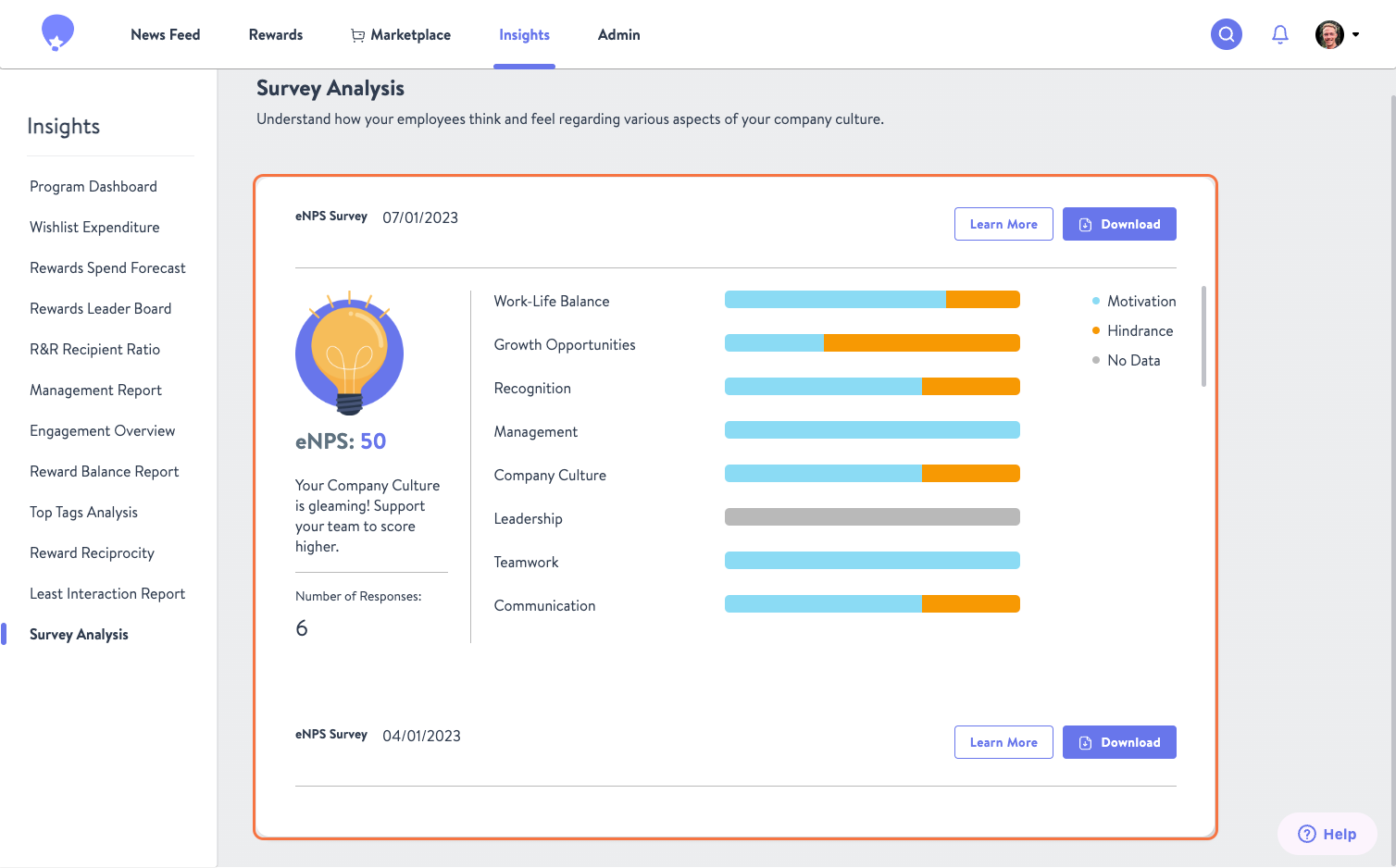
Insights > Survey Analysis > eNPS Survey
Here, you can explore deeper insights into response trends and improvement areas.
Reminder: Responses remain anonymous, and company-wide visibility depends on Transparency Mode.
Employee Notifications
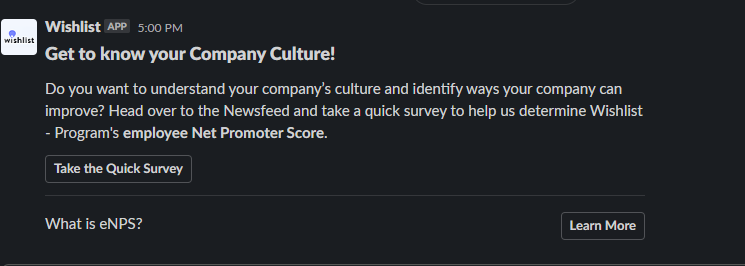
When a new survey is available, employees are notified through:
- Slack (if the integration is enabled)

Understanding eNPS Categories
Employees rate their experience on a scale from 0 to 10, and are grouped into three categories:
Promoters (9–10)
Highly engaged and enthusiastic employees who advocate for your companyPassives (7–8)
Generally satisfied, but not highly engagedDetractors (0–6)
Dissatisfied employees who may negatively impact morale or retention
How eNPS Is Calculated
The eNPS score is calculated using this formula:
eNPS = % of Promoters – % of Detractors
Example:
- 80% Promoters
- 10% Passives
- 10% Detractors
eNPS = 80 – 10 = 70
How to Interpret Your Score
Good (0–30)
A positive score, with room for improvementGreat (30–70)
Strong employee satisfaction, but still opportunities to growExcellent (70–100)
Exceptional engagement—employees are highly satisfied and loyal
Using eNPS consistently helps you identify trends, uncover areas for improvement, and take meaningful action to strengthen your company culture.
Was this article helpful?
That’s Great!
Thank you for your feedback
Sorry! We couldn't be helpful
Thank you for your feedback
Feedback sent
We appreciate your effort and will try to fix the article