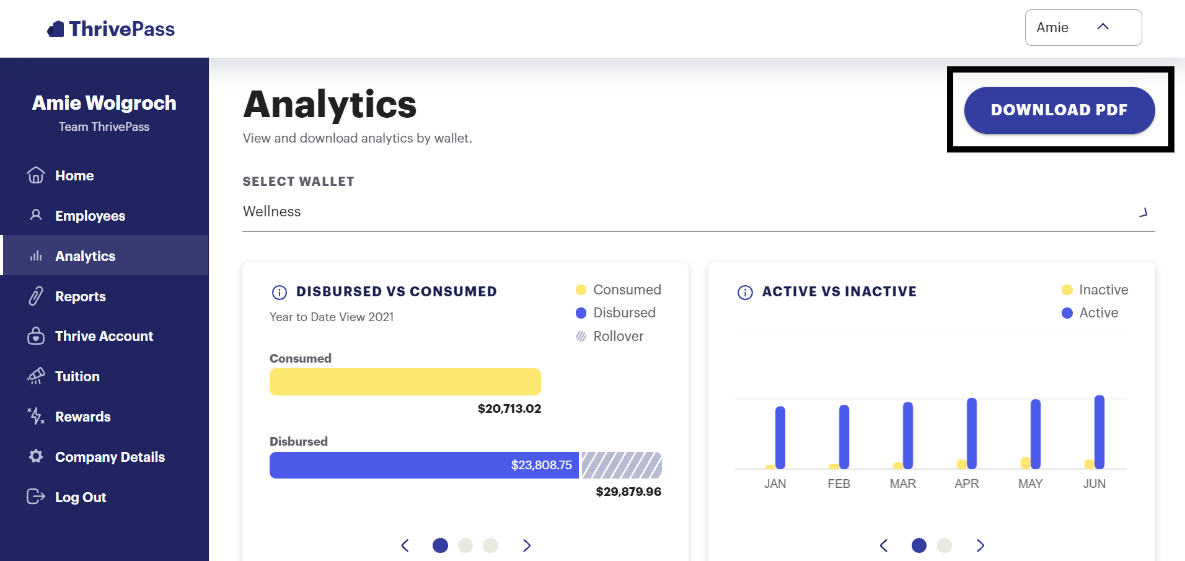
Please refer to the following steps on how to download your company's Thrive Account analytics data as a report:
1. Login and access your Admin Portal: How to Access the Admin Portal
2. Click on 'Analytics'
3. Click on the wallet tab for the data you want to download
4. Click 'DOWNLOAD PDF' on the top right of the page
5. This will be an instant download
Was this article helpful?
That’s Great!
Thank you for your feedback
Sorry! We couldn't be helpful
Thank you for your feedback
Feedback sent
We appreciate your effort and will try to fix the article