Please refer to the following steps on how to download a list of employees at their maximum balance for their Thrive Account wallets:
1. Login and access your Admin Portal: How to Access the Admin Portal
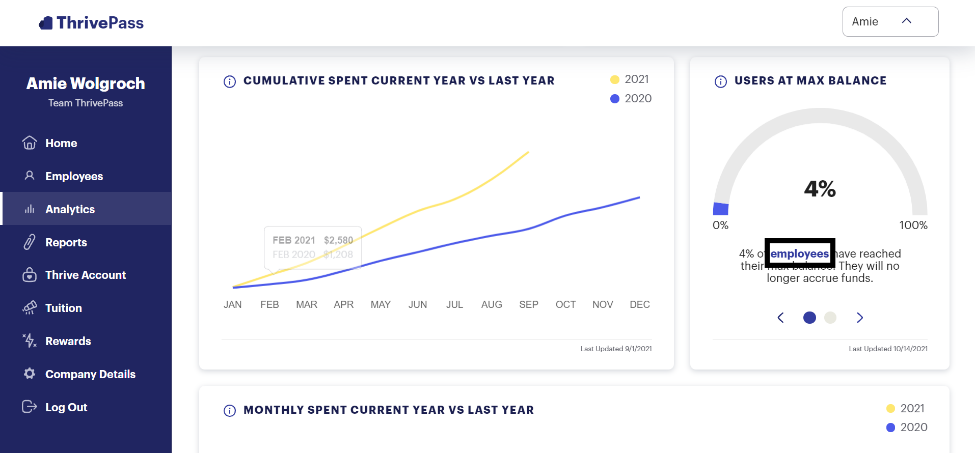
2. Click on Analytics tab
3. Click on the hyperlink – 'employees' under the section 'Users at Max Balance'.
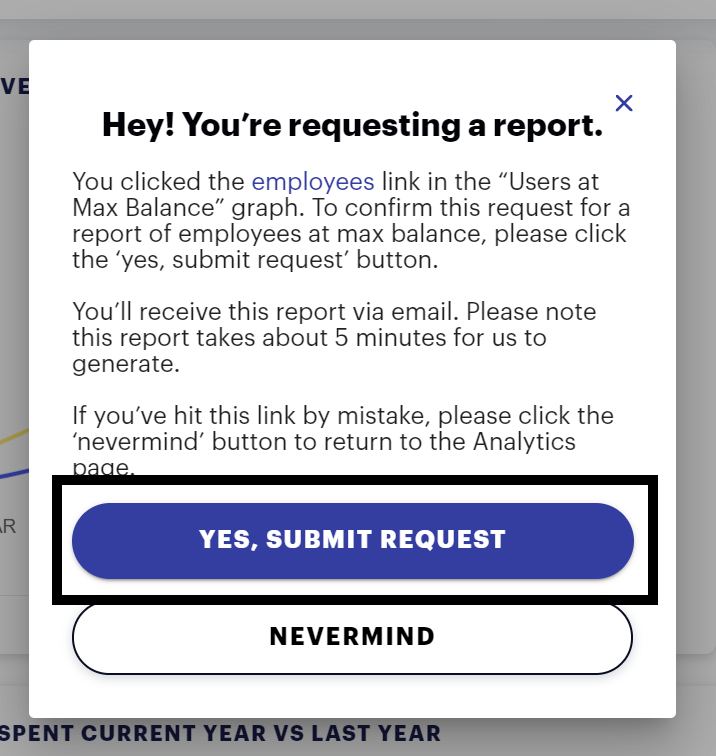
4. A confirmation window – “Hey! You’re requesting a report.” will open.
5. Click “YES, SUBMIT REQUEST”.
6. A report with all users with a maximum balance listed will be emailed to you within 5 minutes.
6. A report with all users with a maximum balance listed will be emailed to you within 5 minutes.
Was this article helpful?
That’s Great!
Thank you for your feedback
Sorry! We couldn't be helpful
Thank you for your feedback
Feedback sent
We appreciate your effort and will try to fix the article