Please follow these steps to download your Thrive Account employee roster:
1. Login and access your Admin Portal: How to Access the Admin Portal
2. Click on the Employees tab
3. Click the 'Download' button in the top right
4. This will be an instant download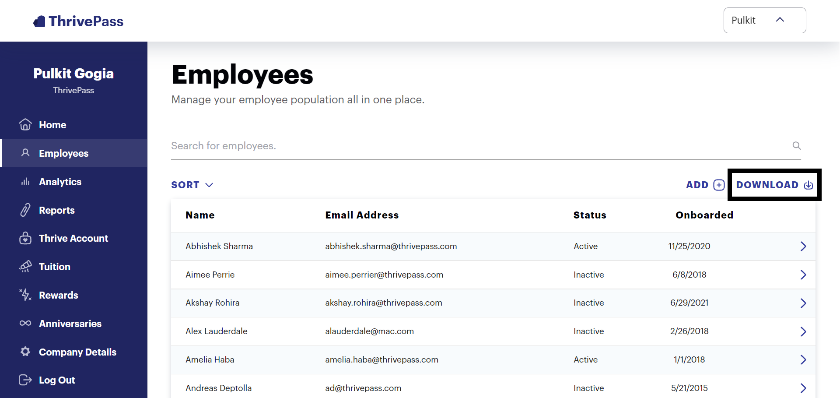
Was this article helpful?
That’s Great!
Thank you for your feedback
Sorry! We couldn't be helpful
Thank you for your feedback
Feedback sent
We appreciate your effort and will try to fix the article