Need to remove a user from your company's Wishlist account? There are two ways to offboard a user, depending on how your employee roster is managed.
Offboarding Options
You can remove a user by:
- Offboarding them directly in Wishlist
- Offboarding them through your HRIS integration
Offboard a User in Wishlist
If you manage your roster directly within Wishlist, follow these steps:
- Navigate to the Admin tab.
- Select Roster from the left-hand menu.
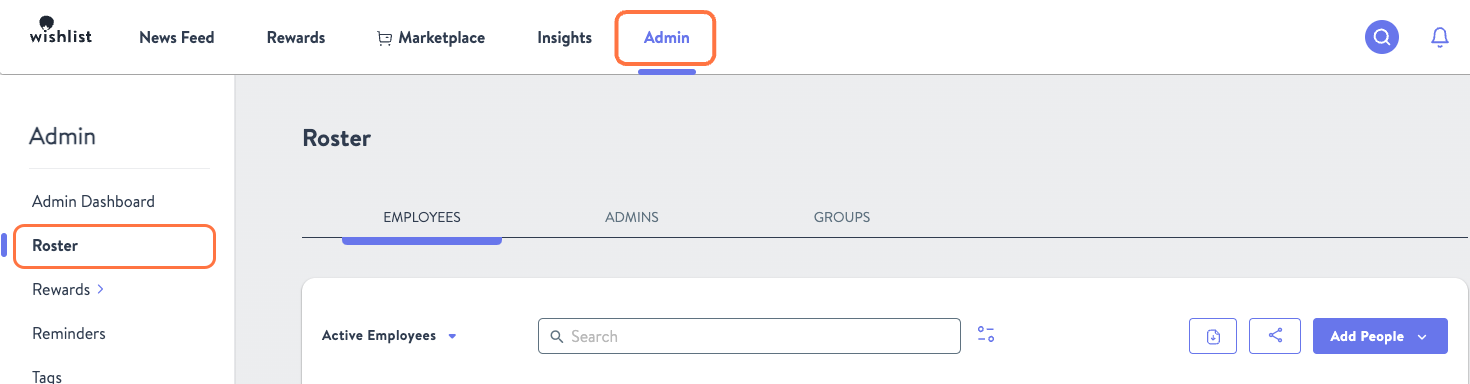
- Choose the appropriate user type:
- Employees
- Admins
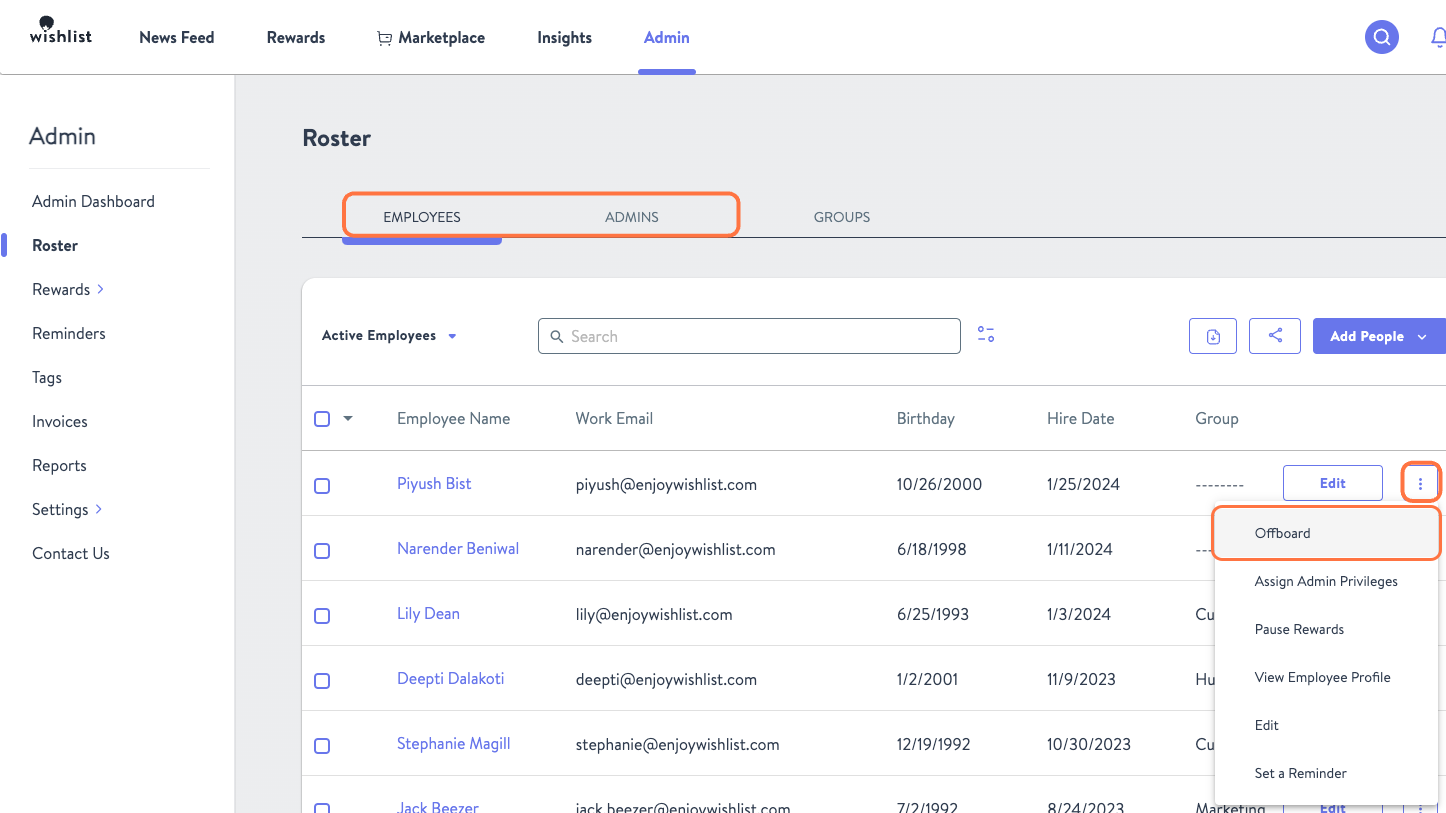
- Locate the user by searching or scrolling through the roster.
- Open the Kebab Menu (⋮) next to the user's name and select Offboard.
- In the confirmation window, choose one of the following options:
- Offboard immediately by clicking Offboard
- Schedule a future offboarding date by selecting Schedule Offboard for a Future Date and choosing the desired date
- Confirm your selection.
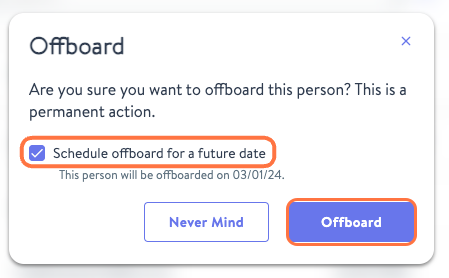
The user will be removed immediately or on the scheduled date, depending on your selection.
Offboard a User Through an HRIS Integration
If your Wishlist roster is synced from an HRIS system, employee records cannot be edited directly within Wishlist.
To offboard a user:
- Remove or offboard the employee in your HRIS platform.
- Allow the HRIS integration to sync with Wishlist.
Once the sync is complete, the employee will be automatically removed or offboarded in Wishlist.
Note: When using an HRIS integration, all roster changes must be managed within your HRIS, as it serves as the source of truth for employee data.
Was this article helpful?
That’s Great!
Thank you for your feedback
Sorry! We couldn't be helpful
Thank you for your feedback
Feedback sent
We appreciate your effort and will try to fix the article