Companies with the Wishlist platform can create up to six custom reactions that users can use when reacting to posts.
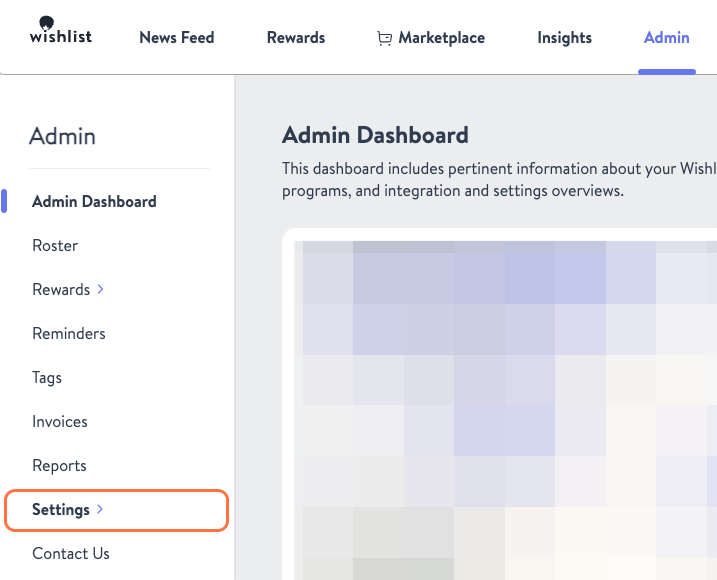
- From the Admin tab, navigate to Settings.
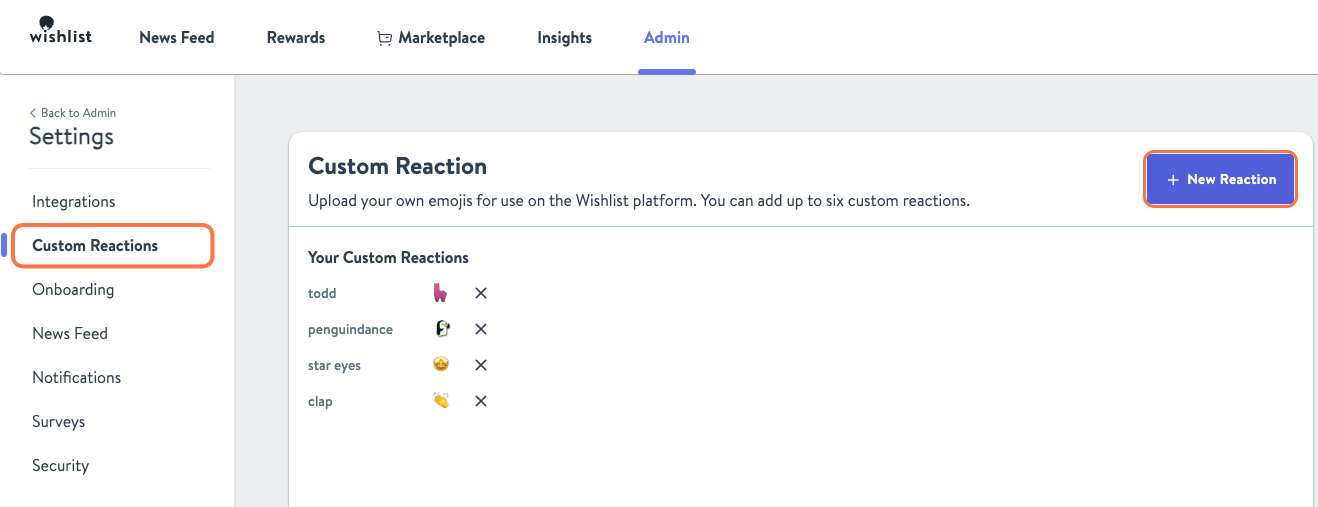
- In the left-hand Settings menu, select Custom Reactions.
- Click + New Reaction.
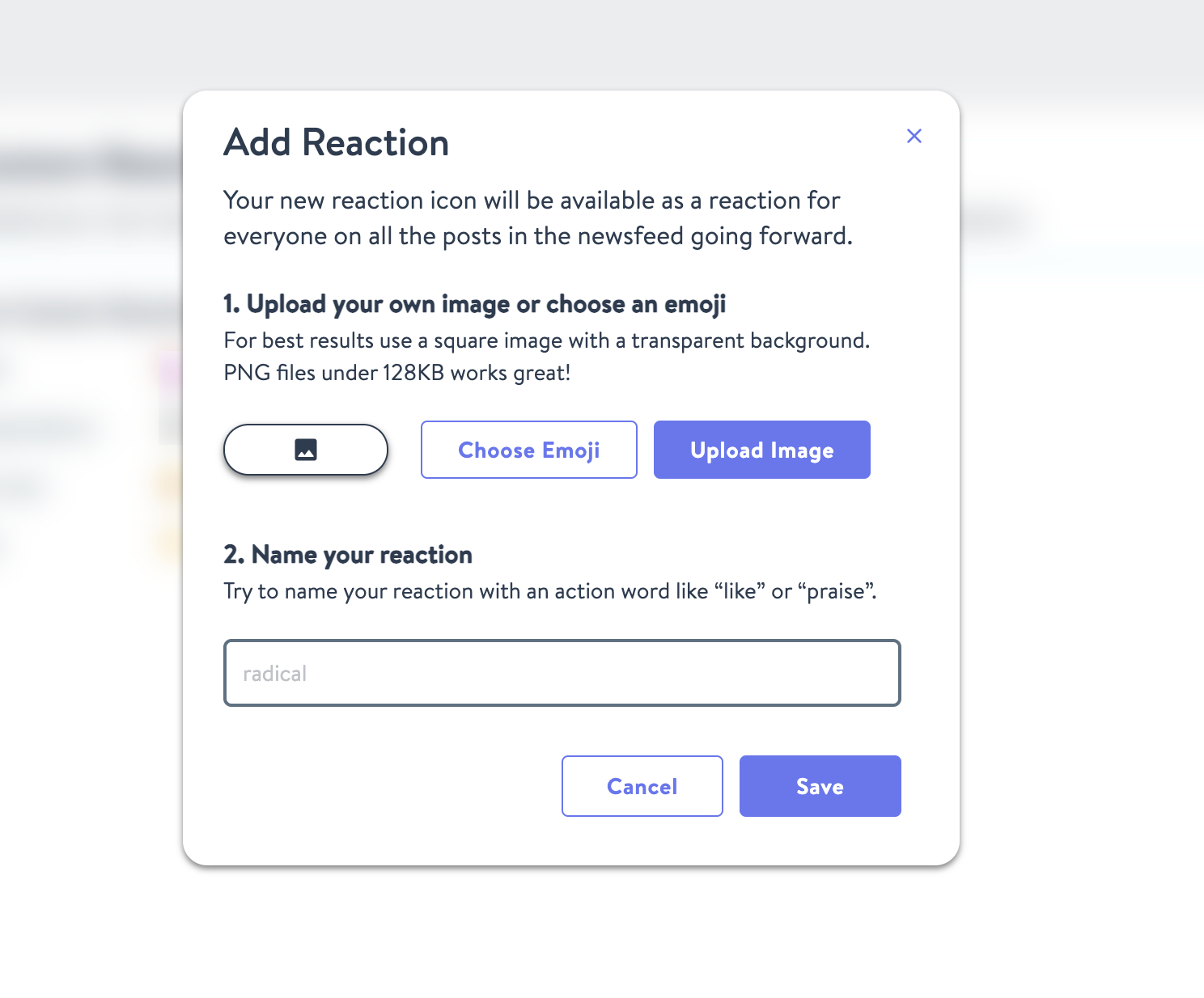
- Choose either an image or an emoji for the reaction.
- Enter a name for the new reaction.
- Click Save.
Your new custom reaction is now available for users to select when reacting to posts!
Note: A maximum of six custom reactions can be added per company.