While your Wishlist account is designed to maintain a balance that supports your ongoing and future spending, there may be times when you need to add extra funds.
For example, many clients choose to increase their balance toward the end of the year to cover seasonal initiatives like holiday gifting.
The good news is that requesting additional funds is quick and simple. As a Program Admin, you can submit a funding request directly within your Wishlist portal—no additional steps or external processes required.
- Navigate to the Insights page and then to the Program Spend tab.
- Click the Request An Invoice button
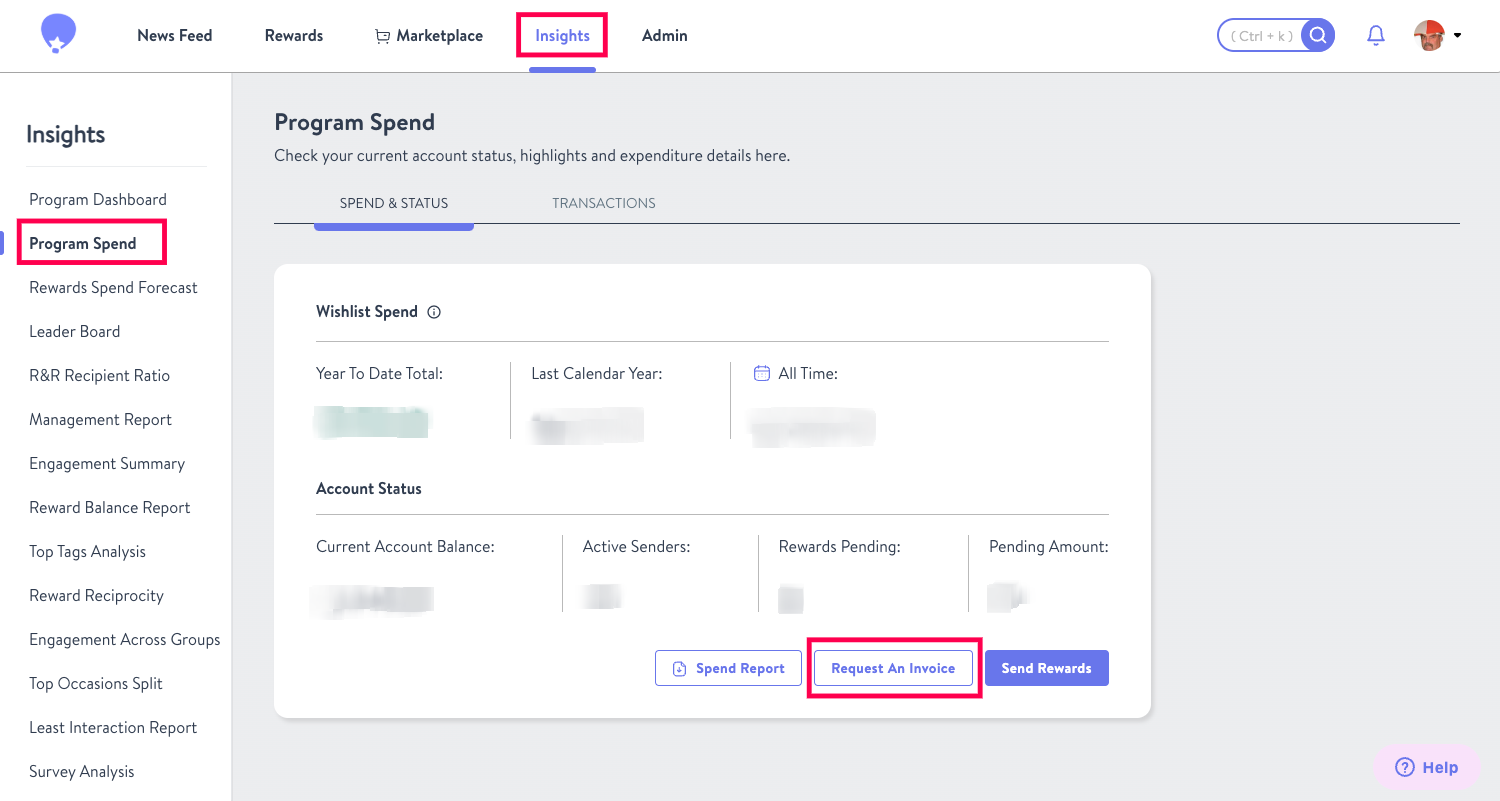
3. Type in the amount of funds requested into the text field and click Request Invoice 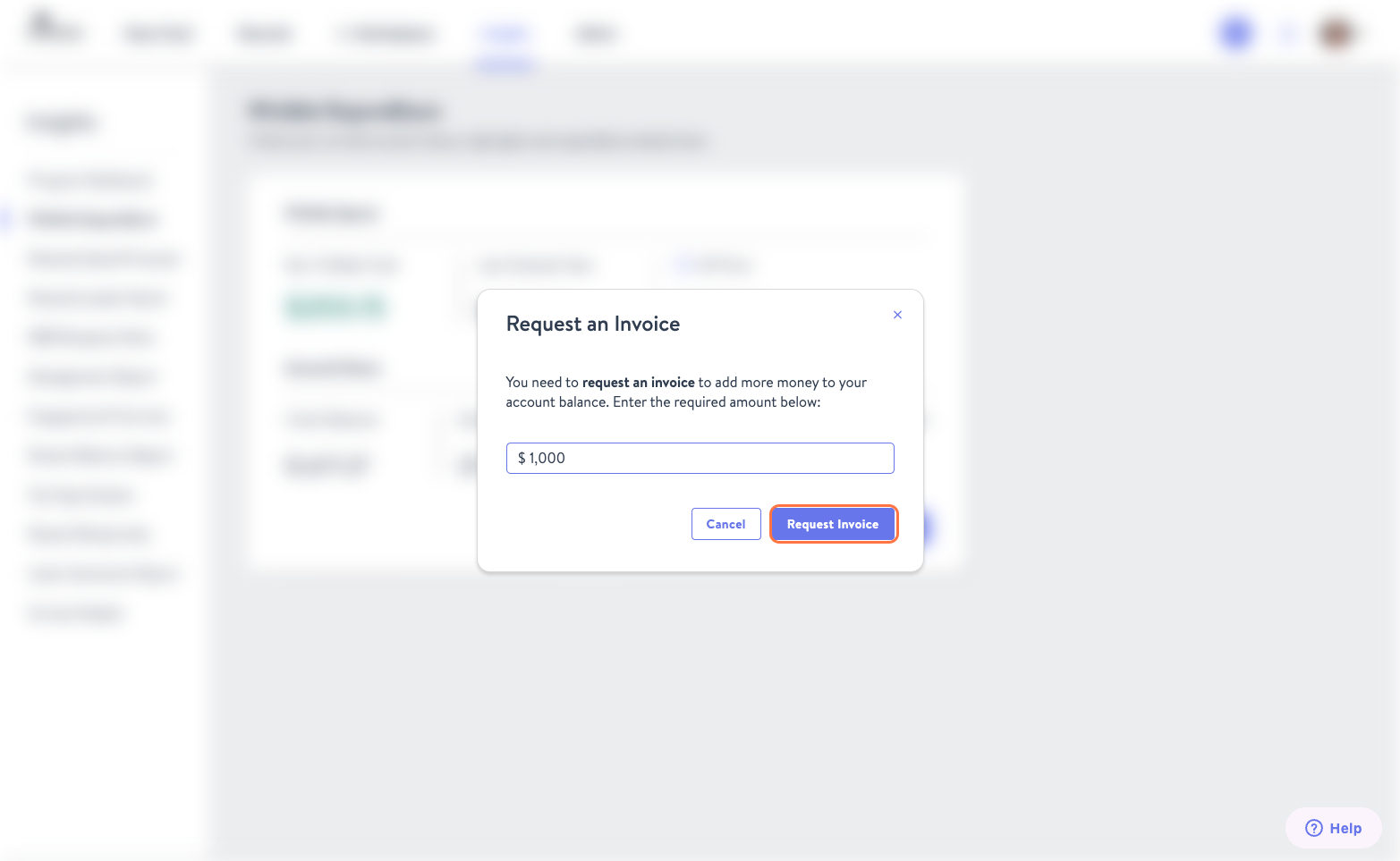
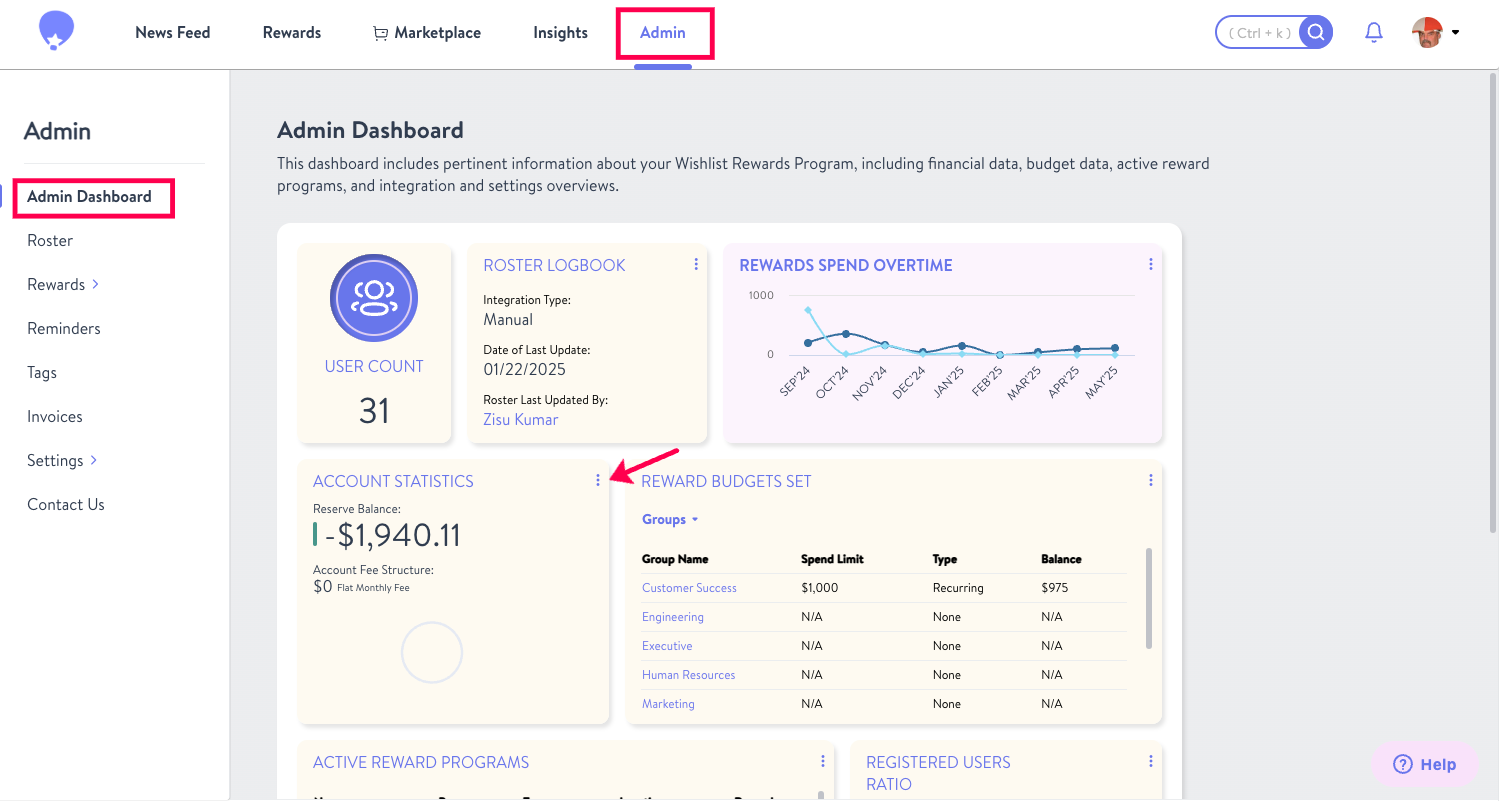
You can also request an invoice through your Admin Dashboard. You can do this by...
- Selecting the Admin page at the top of your Wishlist account
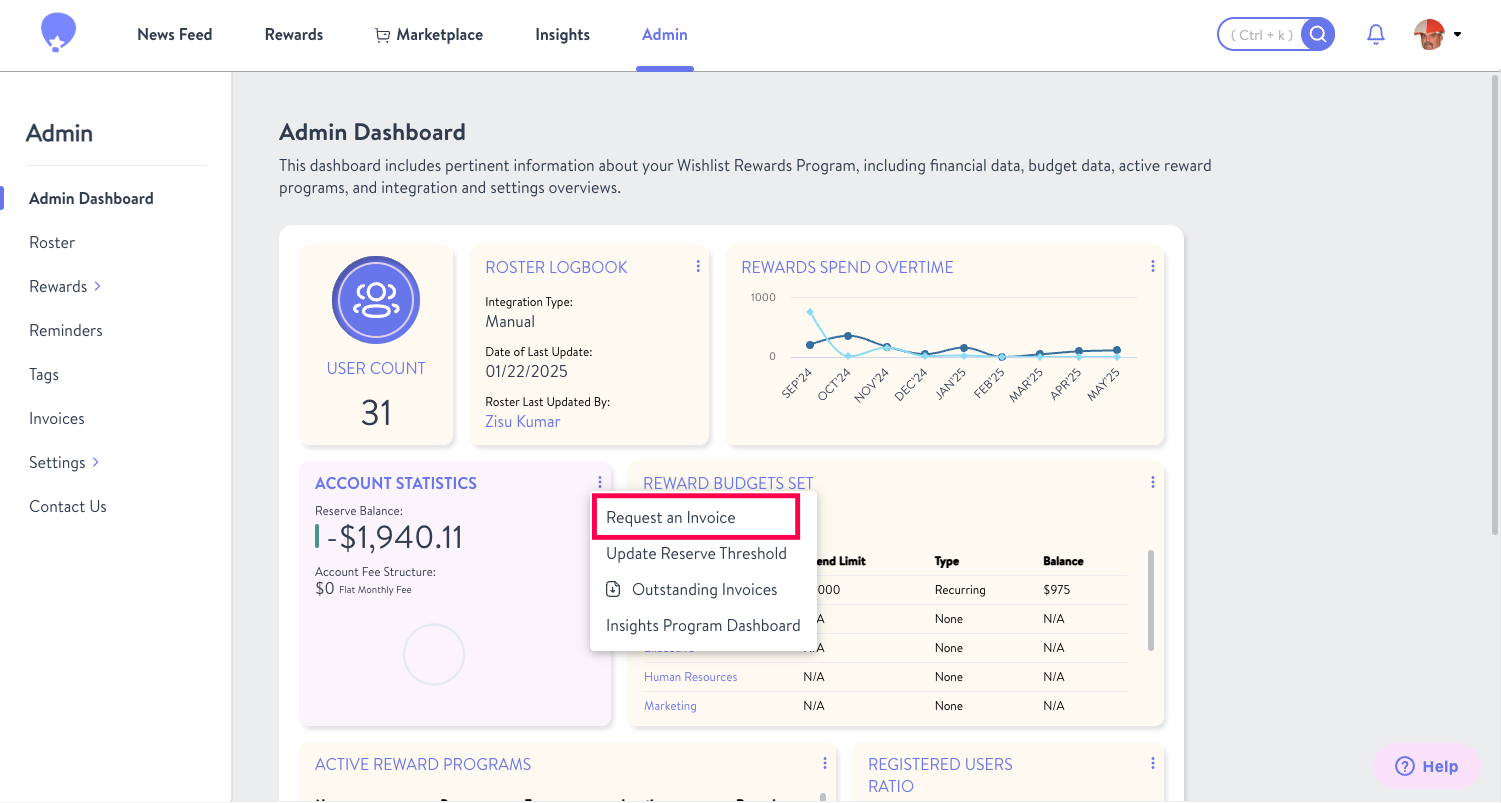
- Clicking on the kebab icon to the right of the Account Statistics tile
- Click Request an Invoice from the drop-down menu
Wishlist will receive this request and within one business day, you will receive an invoice for the requested amount. If you're interested in learning more about the billing and invoicing process check out this article.