Setting up budgets and reward thresholds in Wishlist is a simple way to manage spending while empowering employees to send rewards. This is especially useful if you use Open Dollar (spot rewards), as it helps control both the total budget and the maximum amount per reward.
You can assign budgets at both the individual and group level—follow the steps below based on your needs.
Accessing Reward Budgets
- Go to the Admin tab
- Select Rewards from the left-hand menu
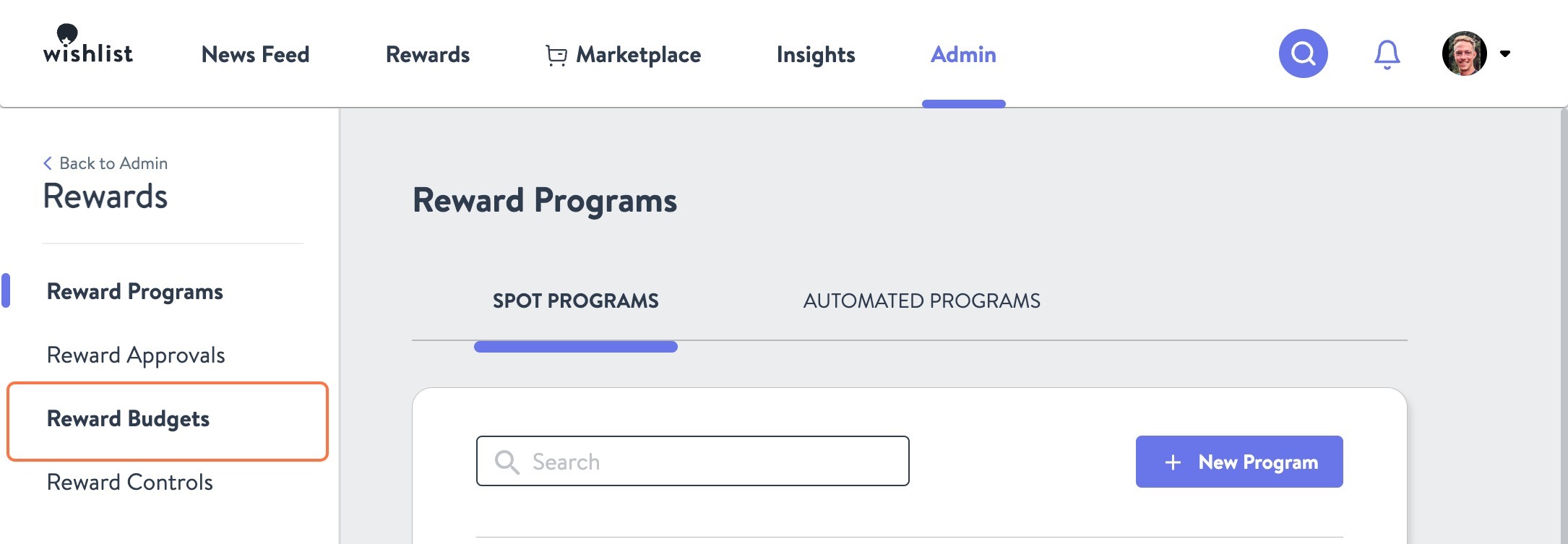
- Click Reward Budgets
- Open Reward Programs
From here, you can choose to manage budgets for either:
- Reward Senders (Individuals)
- Groups
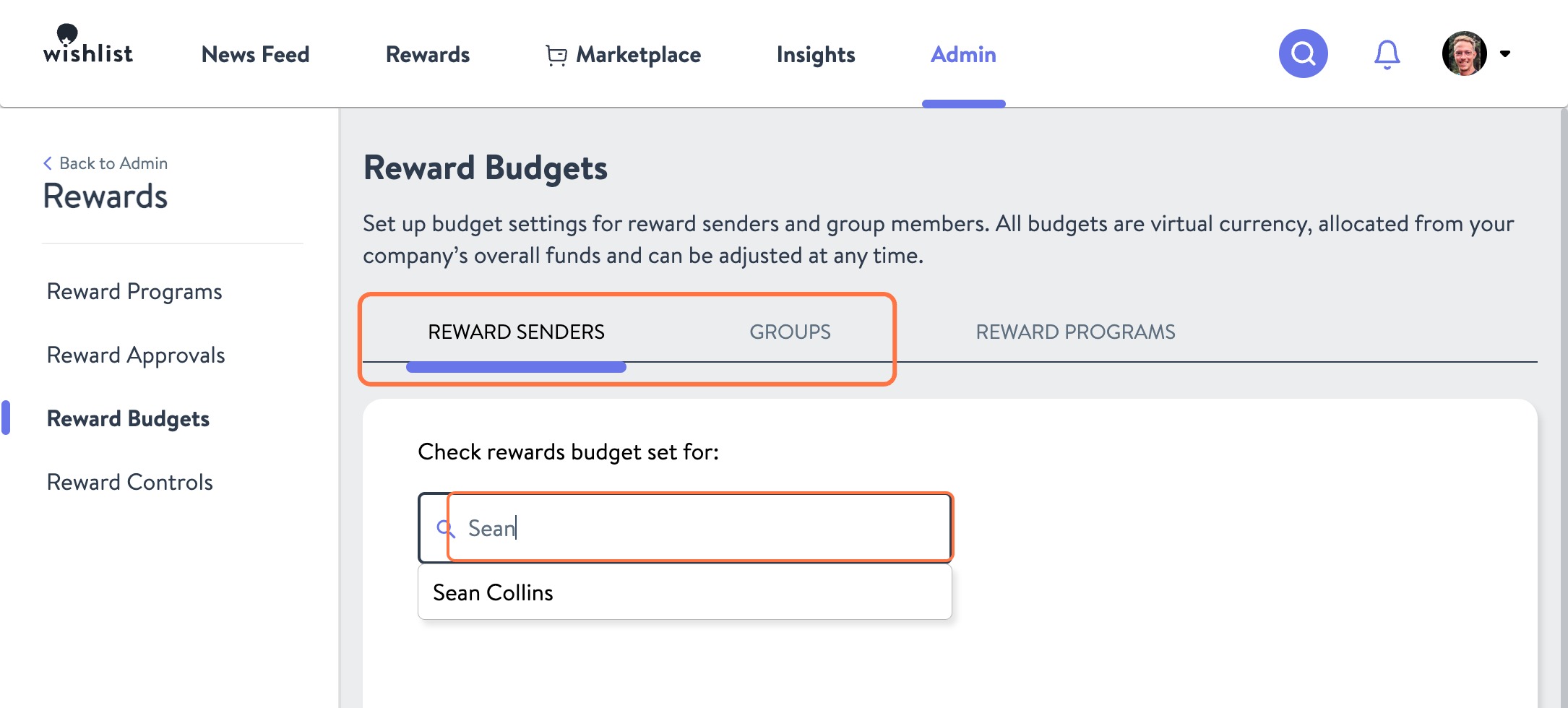
Individual Reward Sender Budgets
When assigning budgets to individuals, you can choose from four options:
1. Recurring Budget
- Budget resets on a regular schedule
- Options include: monthly, quarterly, biannual, or yearly
- Optional rollover for unused funds
2. Manual Budget
- No time limit
- Funds remain available until they are fully used
- You can add more funds at any time
3. Unlimited Budget
- No spending limit
- Users can send rewards without restriction
4. No Budget
- User cannot send rewards unless a budget is assigned
Reward Thresholds (Individuals)
For any budget type, you can set a maximum amount per reward (threshold).
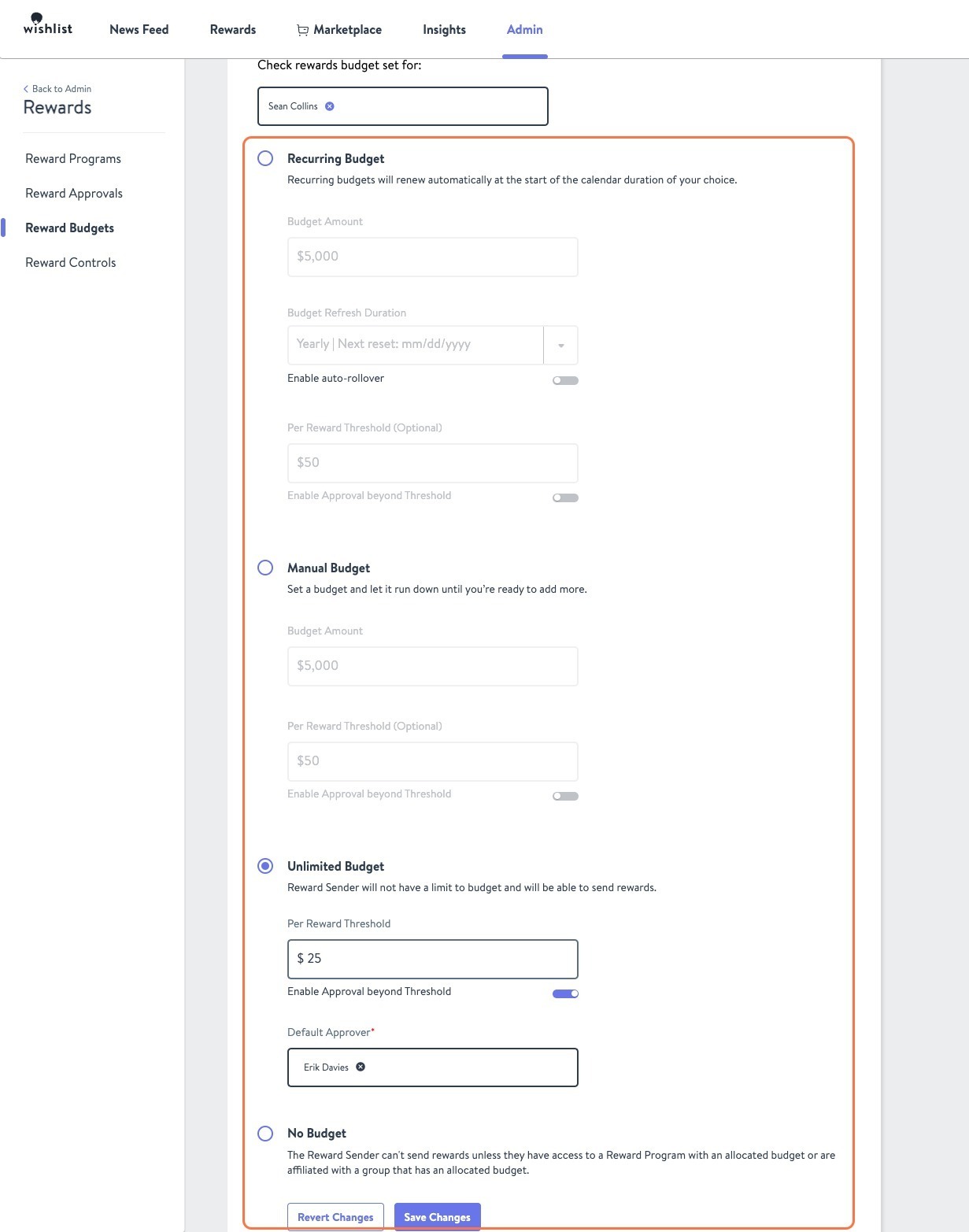 You can allow users to exceed this threshold with approval from a designated approver
Group Budgets
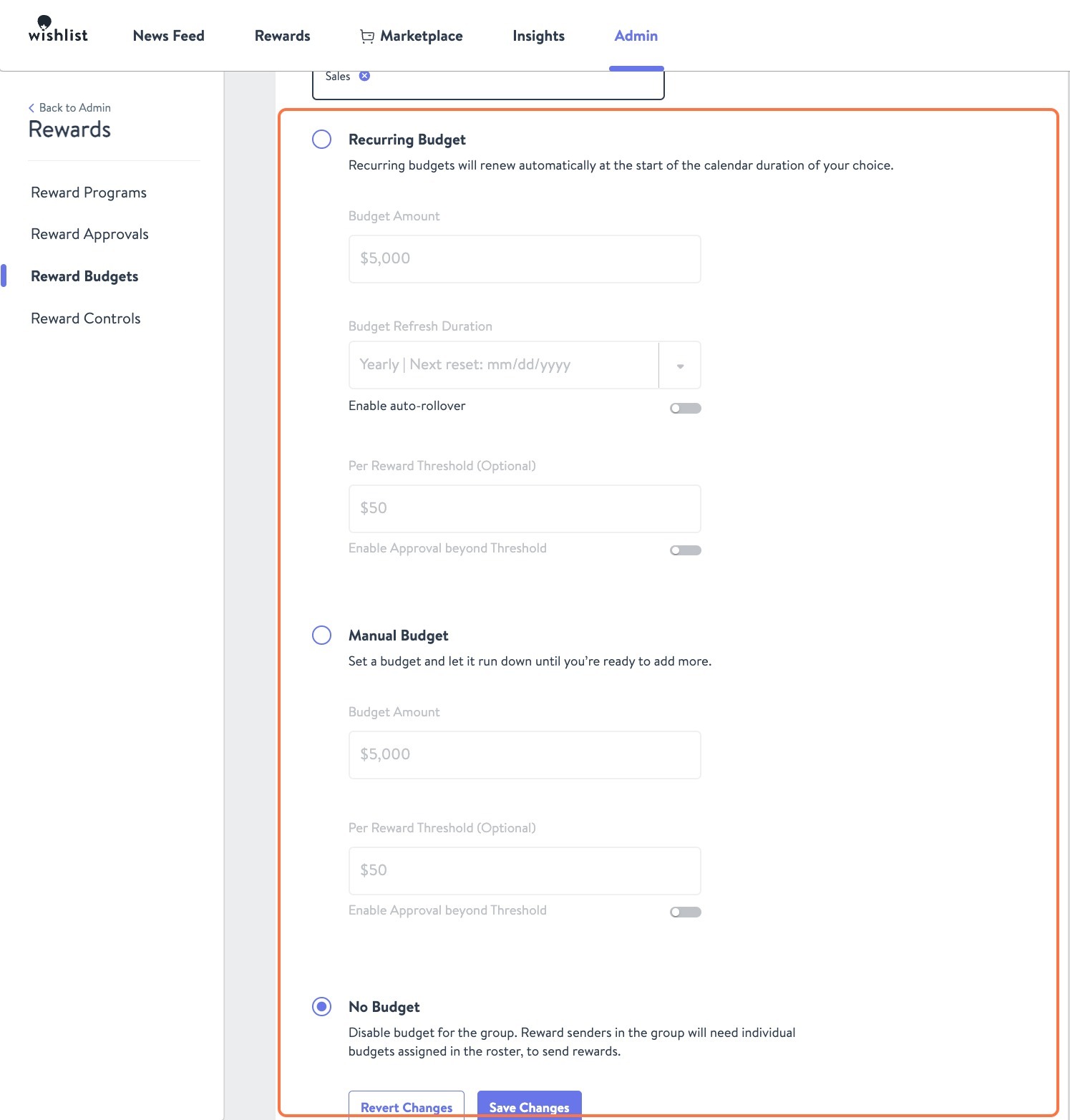
If you’ve enabled Groups, you can assign budgets at the group level. Available options include:
1. Recurring Budget
- Repeats on a set schedule (monthly, quarterly, biannual, yearly)
- Optional rollover for unused funds
2. Manual Budget
- No time restriction
- Funds are used until depleted, with the option to replenish
3. No Budget
- Group does not have a shared budget
- Individuals must rely on their own budgets
Reward Thresholds (Groups)
For Recurring and Manual group budgets:
- You can set a maximum amount per reward
- Users can exceed this limit if approval is enabled and granted
Important Notes
- Group Budgets override Individual Budgets when both are enabled
- If Reward Approvals are set up:
- The first approval layer determines whether rewards are deducted from:
- The sender’s individual budget, or
- The group budget
- The first approval layer determines whether rewards are deducted from:
Need to Set Up Groups?
If you haven’t created groups yet, refer to the Groups setup article to get started.
By configuring budgets and thresholds, you can maintain control over reward spending while still giving employees the flexibility to recognize and celebrate one another
Was this article helpful?
That’s Great!
Thank you for your feedback
Sorry! We couldn't be helpful
Thank you for your feedback
Feedback sent
We appreciate your effort and will try to fix the article