If a reward cannot be delivered due to an incorrect email address, the program administrator will receive an email notification prompting them to update the recipient's information and resend the reward.
Note: Rewards may also be marked as Undeliverable if the recipient has unsubscribed from or blocked Wishlist emails.
Resend a Reward
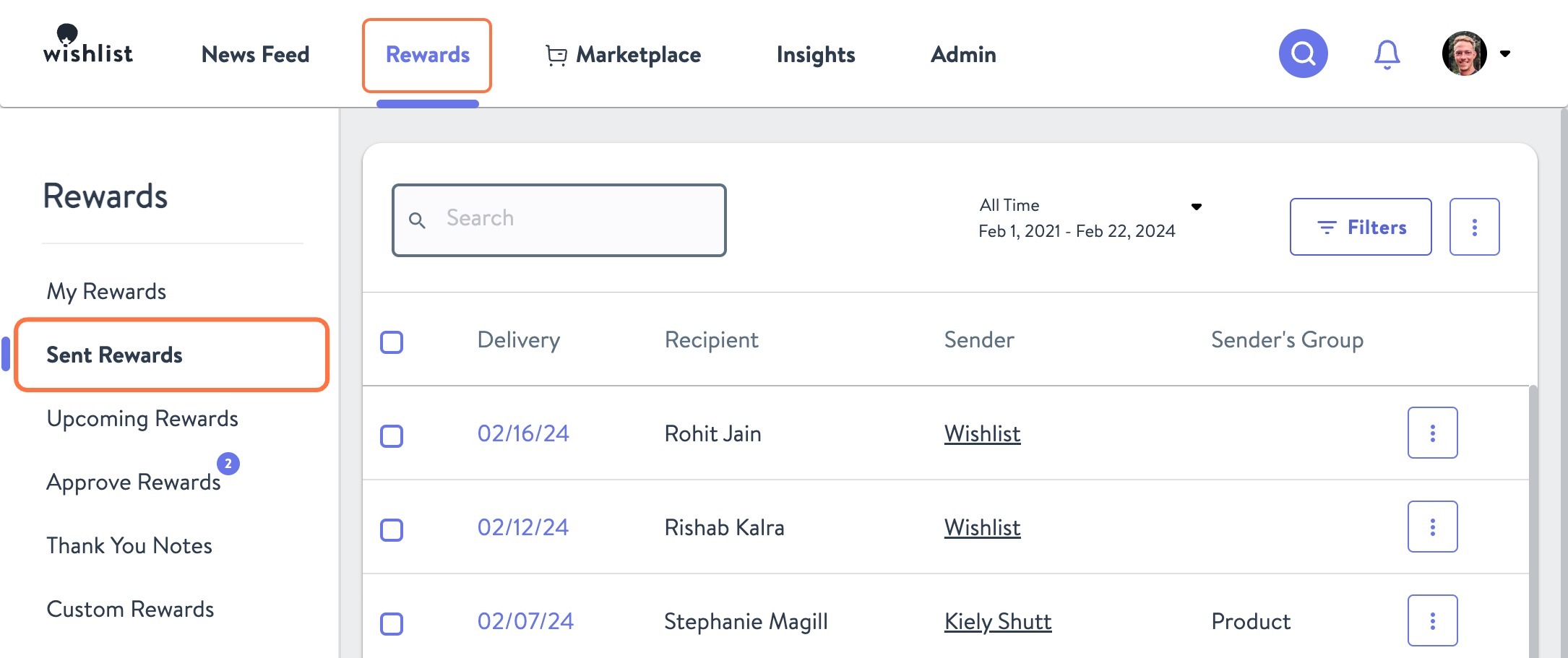
- Navigate to the Rewards tab and select Sent Rewards.
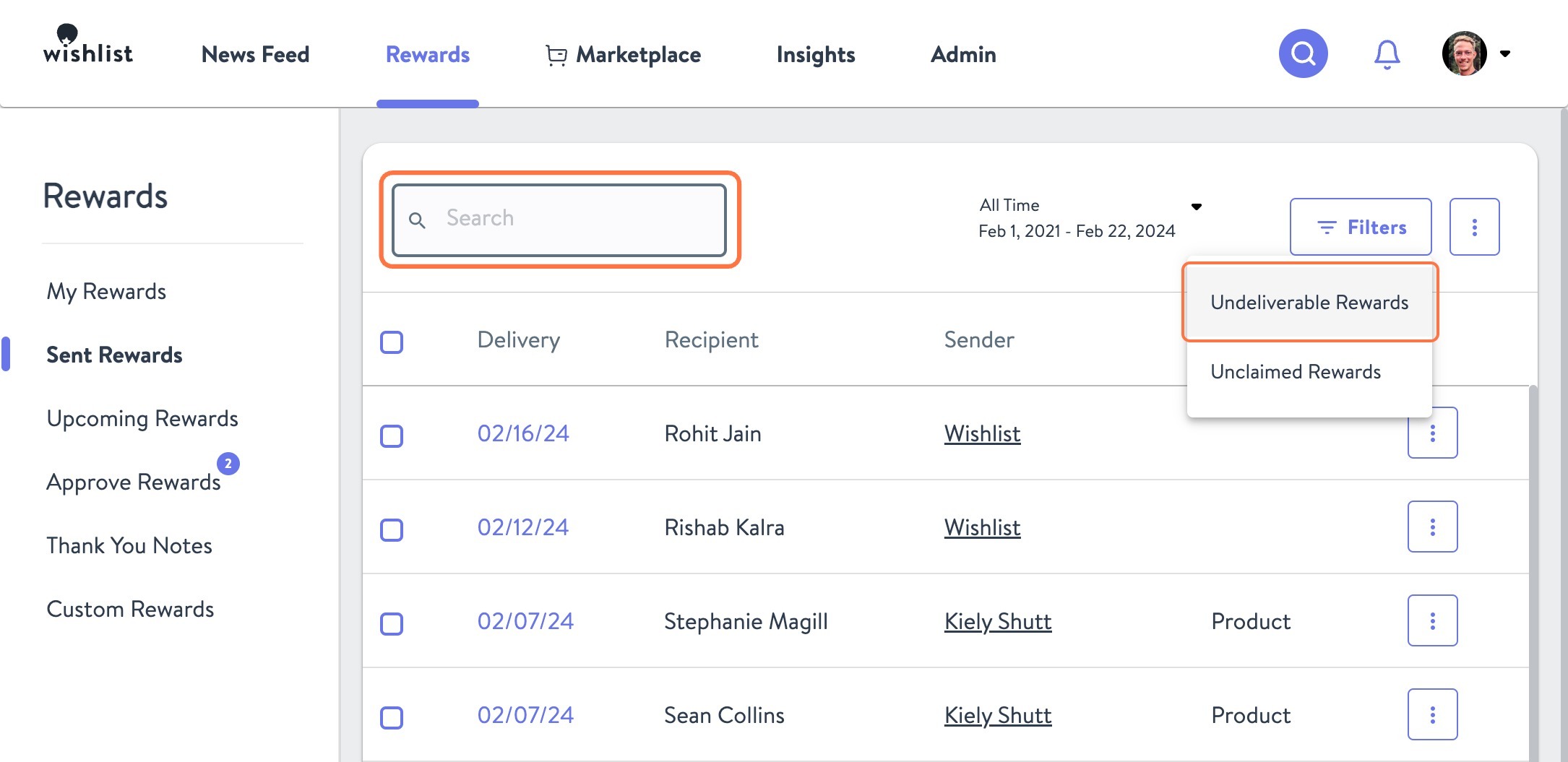
- Locate the undeliverable reward by:
- Using the Search bar to find the recipient by name, or
- Selecting Filters and choosing Undeliverable Rewards.
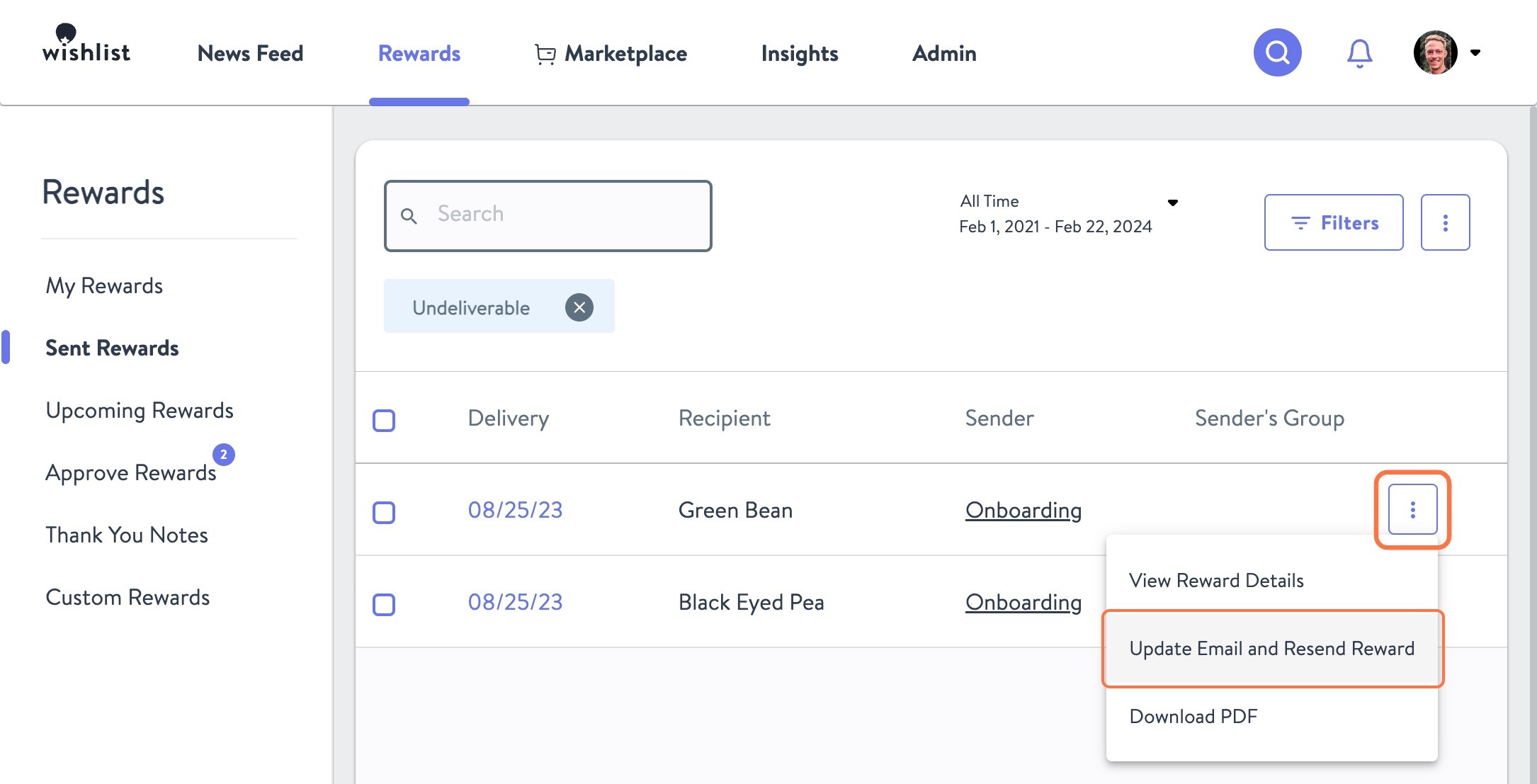
- Once you find the reward, open the Kebab Menu (⋮) and select Update Email and Resend Reward.
- Enter the recipient's corrected email address.
- Click Resend.
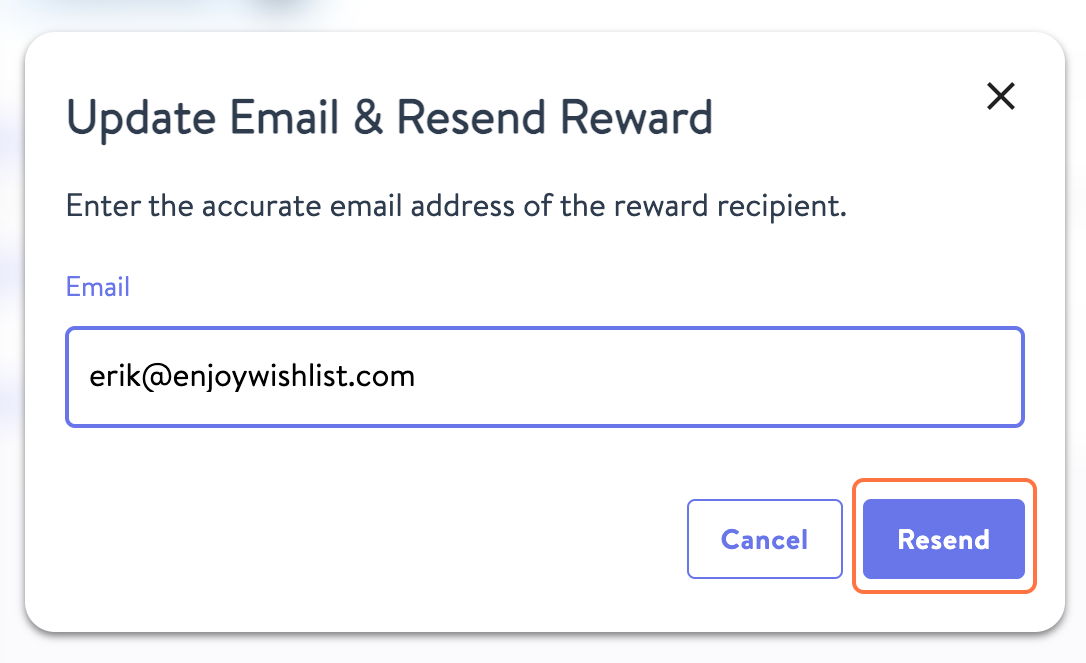
The reward will be resent to the updated email address.
Additional Information
If the issue is related to incorrect employee information, update the employee record before resending the reward to help prevent future delivery issues: How To Edit An Employee's Information In The Roster
Have a question? Contact us here.